Mixboard: Generate character variations from an uploaded portrait
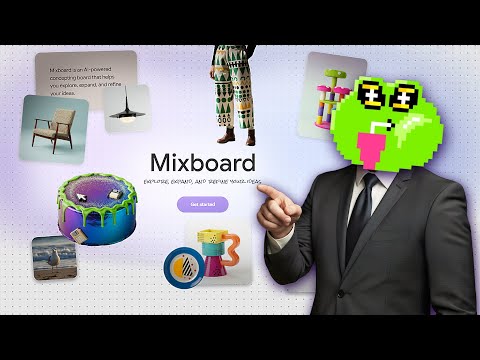
 Mixboard
Demo summary
The user uploads a portrait of a woman and uses Mixboard to generate new images of the same person performing a morning routine.
Step-by-step
- Upload a portrait of a person to the platform
- Create a new blank project if the initial generation fails with a restriction error
- Add the portrait image to the new project
- Generate variations of the person performing specific actions
Watch out for
- The software may occasionally trigger a false error stating it cannot create variations of people
- AI generation may produce minor anatomical errors like missing teeth
Tips
- If you encounter a generation error, restart the process in a fresh blank project to bypass the glitch
Highlights
“this time it worked as I expected. As you can see, this is the same person on all three images”
All demos from “How to Use GOOGLE MIXBOARD (FREE)”
- 0:170:27Generate and iterate images from text in MixboardThe user demonstrates generating multiple 3D cartoon monster images from a text prompt and shows how to create variations of a selected image.Mixboard· Text to Image
- 1:050:24Combine multiple images into a single sceneThe user selects several generated monster images and uses Mixboard to merge them into a single cohesive scene.Mixboard· AI Image Combiner
- 1:290:29Generate character variations from an uploaded portraitCurrentThe user uploads a portrait of a woman and uses Mixboard to generate new images of the same person performing a morning routine.Mixboard· AI Person Generator
- 2:020:39Modify character attributes like hair and makeupThe demonstration shows how to use text prompts to change a subject's hairstyle to a bobcut and apply Halloween makeup while maintaining facial consistency.Mixboard· AI Inpainting
- 2:410:20Apply specific products to a person in MixboardThe user uploads an image of sunglasses and prompts Mixboard to generate images of a specific girl wearing those exact glasses.Mixboard· AI Clothing Try-on
- 3:280:40Mockup logos on apparel and accessoriesThe video shows Mixboard being used to place a custom logo onto realistic mockups of hats, t-shirts, and bags.Mixboard· AI Product Photography
- Watch “How to Use GOOGLE MIXBOARD (FREE)” →
AI Person Generator
- 1:290:29Generate character variations from an uploaded portraitCurrentThe user uploads a portrait of a woman and uses Mixboard to generate new images of the same person performing a morning routine.Tutorials For You