Connecting email inboxes to Smartlead

 Smartlead
Demo summary
The video demonstrates how to connect multiple email accounts (Google, Microsoft, or custom SMTP) to the Smartlead platform for outbound sending.
All demos from “Smartlead AI Tutorial 2025 - Ultimate Guide”
- 1:261:54Connecting email inboxes to SmartleadCurrentThe video demonstrates how to connect multiple email accounts (Google, Microsoft, or custom SMTP) to the Smartlead platform for outbound sending.Smartlead· Set up domains & inboxes (SPF/DKIM/DMARC)
- 3:272:09Configuring email warmup settingsShows how to adjust warmup parameters including daily volume, ramp-up increments, and randomization to protect sender reputation.Smartlead· Email warmup
- 5:383:53Importing leads and mapping variablesDemonstrates importing a CSV list of leads, mapping custom variables like name and website, and setting up the initial email copy.Smartlead· Build a cold-email sequence
- 9:283:35Campaign scheduling and inbox rotationShows how to set sending schedules and enable inbox rotation across multiple accounts to scale volume safely.Smartlead· Send at scale with inbox rotation
- 13:011:28AI lead categorization and Master InboxWalkthrough of how Smartlead uses AI to automatically categorize replies (e.g., 'Interested') and manage them in a centralized inbox.Smartlead· Lead routing & booking
- 18:012:38Setting up email subsequencesDemonstrates how to create conditional subsequences based on lead behavior or specific triggers within a campaign.Smartlead· Build a cold-email sequence
- Watch “Smartlead AI Tutorial 2025 - Ultimate Guide” →
Set up domains & inboxes (SPF/DKIM/DMARC)
 0:533:41Setting up domains and mailboxes with SmartSendersDemonstrates how to purchase and configure new domains and mailboxes directly within Smartlead using the SmartSenders feature, including setting up sender personas.Software Scope
 1:071:07Connecting email accounts in SmartleadDemonstrates how to navigate to the email accounts panel and connect private mailboxes via Gmail, Outlook, or SMTP.Tim Yakubson
- 1:261:54Connecting email inboxes to SmartleadCurrentThe video demonstrates how to connect multiple email accounts (Google, Microsoft, or custom SMTP) to the Smartlead platform for outbound sending.Romain Osman Lead Generation
 1:563:58Connecting email accounts to SmartleadDemonstrates how to integrate Gmail, Microsoft, or custom SMTP accounts into Smartlead for sending, including bulk account management and deliverability settings.Smartlead
 1:563:58Connecting email accounts in SmartleadThe video demonstrates how to connect Gmail, Microsoft, or custom SMTP accounts to Smartlead and configure deliverability settings.Matt Lucero
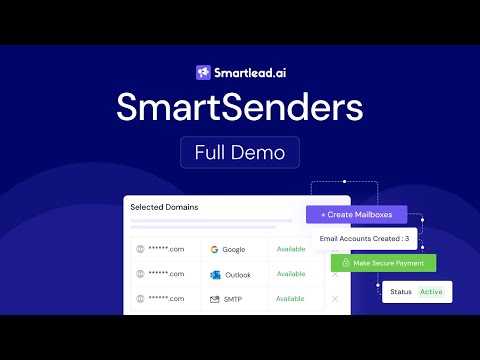 1:332:51Automated email infrastructure setup with SmartSendersThe video demonstrates how to use SmartSenders to search for domains, purchase them, and automatically configure the necessary email infrastructure (SPF/DKIM/DMARC) directly within the Smartlead platform.Smartlead
 1:503:50Adding and configuring email accounts in SmartleadDemonstrates how to add new email accounts to the platform and configure global settings for sending limits.Jeremy Dixon