Scrape Sales Navigator
Extract leads and data from LinkedIn Sales Navigator.
Scrape Sales Navigator Tutorials

 Waalaxy | We make LinkedIn Outreach f*cking easy

 HeyReach

 Sandy Lee AI
 HeyReach
 Snovio

 Vincent Robin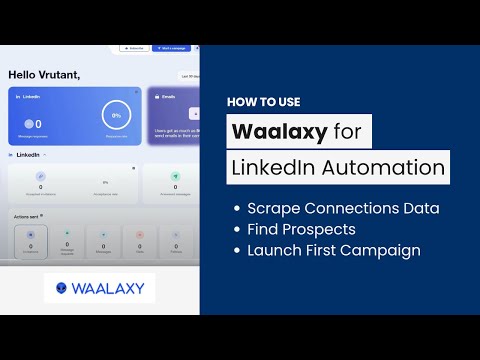
 AIMS Consulting Services
 Tim Yakubson
 Tim Yakubson
 Prospeo

 Bharat Singh
 Matt Lucero
 Waalaxy | We make LinkedIn Outreach f*cking easy
 Waalaxy | We make LinkedIn Outreach f*cking easy
 Waalaxy | We make LinkedIn Outreach f*cking easy
 Salesforge
 Oskar Moen
 Robert Lyon
 HeyReach
 Business Solution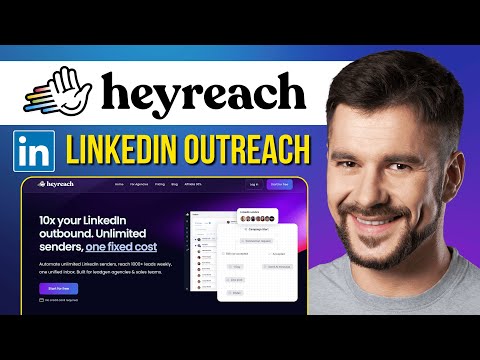
 Success Minder
 Salesforge
Scrape Sales Navigator Tools
Scale LinkedIn outbound with unlimited sender accounts for one fixed cost.
Automate LinkedIn and email outreach to generate more replies effortlessly.
Automate lead generation and data extraction across major social media platforms.
A comprehensive go-to-market platform for B2B intelligence and sales engagement.
Automated LinkedIn and email outreach for high-converting sales sequences.
What is Sales Navigator Scraping?
Scraping Sales Navigator is the process of extracting lead or account information—such as names, job titles, company details, and profile URLs—from LinkedIn's premium search results into a structured format like a CSV or Excel file.
Sales teams use this to bypass manual data entry and build high-volume prospect lists. While LinkedIn provides a 'Usage Report' for admins, it does not offer a native way to export lead lists. Using a dedicated Sales Navigator scraper allows you to move data directly into your CRM or cold outreach sequences.
The Standard Scraping Workflow
Based on the most successful video demonstrations, the workflow for extracting leads follows these consistent steps:
- Define Your ICP: Use Sales Navigator's advanced filters (geography, industry, seniority) to build your list.
- The 2,500 Limit Rule: LinkedIn only displays up to 2,500 results per search. If your list is larger, you must 'slice' it by adding more specific filters (like sub-industries or specific states) to keep each batch under the limit.
- Connect Your Tool: Most users either install a Chrome extension that adds an 'Export' button directly to the LinkedIn interface or paste their search URL into a cloud-based platform.
- Data Cleaning & Enrichment: High-quality scrapers automatically remove emojis from names and find professional email addresses during the extraction process.
- Download: Once the process finishes, you download the cleaned CSV for your outreach tool.
Top Tools for Sales Navigator Extraction
Our data tracks which tools are actually used in real-world tutorials. The most demonstrated tools for this task include:
- HeyReach (8 demos): Frequently used for multi-account management and high-volume lead extraction.
- Waalaxy (8 demos): A popular choice for combining scraping with automated LinkedIn outreach sequences.
- GiveMeLeads (5 demos): Often showcased for its straightforward lead export capabilities.
- PhantomBuster (2 demos): A cloud-based favorite for those who want to scrape in the background without keeping a browser tab open.
- Evaboot (1 demo): Highly cited in community reviews for its ability to clean data and verify emails in one click.
Expert Tips and Common Pitfalls
Tutorials frequently warn about account safety. To avoid being flagged by LinkedIn, it is recommended to use tools that mimic human behavior or operate via cloud-based sessions with dedicated IP addresses.
Another common mistake is failing to clean the data. Raw LinkedIn data often contains all-caps names or corporate suffixes (like LLC or Inc.). Tools like Evaboot are specifically designed to 'beautify' this data so your cold emails don't look automated. Refer to the demo clips on this page to see these settings in action.
Frequently asked questions
Can I export data from LinkedIn Sales Navigator?
LinkedIn only allows admins to export usage reports, not lead lists. To export lead data like names and emails, you must use a third-party scraper tool or Chrome extension to extract the search results into a CSV.
What is the best Sales Navigator scraper?
How can I scrape Sales Navigator for free?
Many tools like Scrupp, Datablist, or various Chrome extensions offer freemium tiers or limited credits. These allow you to export a small number of leads (usually 50-100) at no cost before requiring a paid plan.
How do I bypass the 2,500 lead limit on Sales Navigator?
To scrape more than 2,500 leads, you must 'slice' your search. Break your large search into smaller segments using filters like 'Location' or 'Industry' so that each individual search result pool is under the 2,500-profile cap.
Is scraping Sales Navigator safe for my account?
Scraping carries risks if you exceed LinkedIn's rate limits. To stay safe, use cloud-based tools like PhantomBuster or extensions that simulate human browsing speeds, and avoid scraping thousands of profiles in a single day.
Do these scrapers provide email addresses?
Yes, many top-tier scrapers like Evaboot, Wiza, and Skrapp include email enrichment features. They use the lead's name and company domain to find and verify professional email addresses during the export process.