AI Video Extender
Lengthen a clip by generating more footage before or after it.
AI Video Extender Tutorials







 Techvid Ai

 AI Master

 AI for Real Life: Redefining Filmmaking

 Roboverse
 Kapwing

 Sirio
Sirio

 Dan Kieft
 Dan - Smart Tutorials
 Joseph Martin
 Higgsfield AI
 ZoCo Marketing

 AI2Play


 Nicky Saunders
 Adobe Video

 Tech Rush


 Tao Prompts

 FILM CRUX

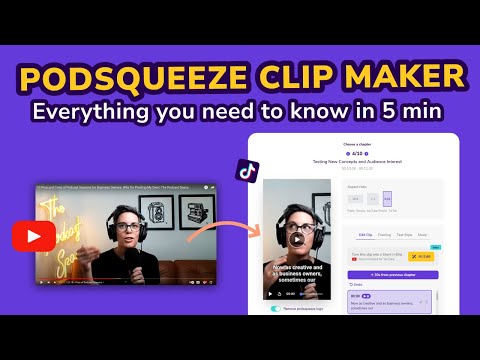
 Podsqueeze
 Podsqueeze
 AI Video Extender Prompts
AI Video Extender Tools
An AI-powered creative studio for cinematic video and image generation.
All-in-one AI creative studio for images, video, music, and models.
AI-powered video generation platform for social ads and ecommerce creatives.
Create cinematic AI videos and images with advanced character consistency.
Next-generation AI creative studio for high-fidelity video and image generation.
AI-powered podcast production tool for transcripts, show notes, and social clips.
Professional workstation for precision audio editing, mixing, and sound restoration.
Create high-converting video ads using realistic AI actors and avatars.
All-in-one AI creative platform for high-quality video and image generation.
Transform AI-generated skin textures into photorealistic, high-fidelity human skin.
AI-powered video editing software for professional results on desktop and mobile.
An advanced conversational AI with real-time knowledge and unfiltered responses.
AI-powered collaborative video editor for modern creators and marketing teams.
AI-powered creative agents that plan, generate, and refine professional workflows.
Transform text and photos into high-quality AI-generated videos and viral content.
AI Video Extender Industries
What is an AI Video Extender?
An AI video extender is a generative tool that analyzes the final or initial frames of a video to create a seamless continuation. This is essential for creators who need to lengthen a shot for a voiceover, fix a clip that ends too abruptly, or create cinematic "pull-back" reveals. Unlike simple looping, these tools generate entirely new motion and content that follows the logic of your original scene.
The General AI Video Extension Workflow
To extend a video online or in a desktop editor, the process typically follows these steps:
- Upload the Source: Import your clip into the AI tool. Most platforms use the last frame of your video as the starting point for the new generation.
- Define the Direction: Choose whether to extend the video forward (continuation) or backward (prequel).
- Set the Prompt: Provide a text prompt describing the next action. For example, if a character is walking, you might prompt: "He walks into the hotel room and looks around."
- Configure Settings: Select your desired aspect ratio (like 16:9 for YouTube or 9:16 for TikTok) and resolution.
- Generate and Stitch: The AI creates a new segment (often 2-10 seconds). You then review the motion for glitches and stitch it to the original clip.
Top Tools for Extending Video
Based on our first-party data, several tools lead the category in real-world usage:
- Google Flow (4 demos): Currently the most demonstrated tool for smooth, logical scene extensions.
- Topview AI (3 demos): Frequently used for marketing and social media video extensions.
- Kling AI & Luma Dream Machine: These are highly rated for narrative continuity, allowing for complex camera movements like 180-degree orbits.
- Adobe Premiere Pro: Offers a premium "Generative Extend" feature directly on the timeline for professional editors.
Tips for Maintaining Consistency
Maintaining character and environmental consistency is the biggest challenge when extending video. Tutorial data suggests building your video "scene by scene" rather than trying to generate a long sequence at once.
To keep a character's face and clothing the same, use a single reference image (the last frame of the previous clip) rather than a full contact sheet. If the AI is hallucinating new backgrounds, include a specific prompt line that locks the environment, such as "keep the forest background static." For cinematic flow, use camera-specific prompts like "dolly in" or "slow zoom out" to guide the AI’s perspective.
Common Caveats
Be aware that longer generations are more prone to visual glitches. Many tools limit video extensions to two-second increments to maintain quality. Additionally, if your original clip ends mid-action—such as a character starting to speak—the transition may appear jarring or result in "open mouth" artifacts. Always review the transition point for smooth motion before exporting.
Frequently asked questions
Is there an AI video extender free online?
Yes, several platforms offer free tiers or daily credits. Tools like Magic Hour AI and Picwand allow for short extensions, while others like Luma Dream Machine often provide trial credits for new users to test the extension features.
How do I use an AI video extender without a sign-up?
Most high-quality AI video tools require an account to manage processing power. However, some browser-based tools like Magic Hour may offer limited daily generations without a full registration, though features are usually restricted.
Can I extend a video with audio using AI?
While many tools focus on visuals, some platforms like Podsqueeze or Adobe Audition handle audio-specific extensions. Note that standard image-to-video modes often do not support audio references, so you may need to generate the audio and video separately.
What is the best AI video extender according to Reddit?
Reddit communities often recommend Kling AI and Runway Gen-3 for their ability to maintain high realism. Users frequently discuss using the 'frames to video' method in these tools to keep character consistency across multiple extended clips.
How can I extend a video background using AI?
This is often called 'outpainting.' You can use tools like Luma or specialized 'AI Expand' apps to fill in the sides of a video, which is helpful for converting a horizontal video into a vertical format for TikTok or Reels.
Why does my AI extended video look glitchy?
Visual glitches are common in longer AI generations. To minimize this, extend your video in small increments (2-5 seconds) and ensure your prompt specifically describes the background and subject to prevent the AI from 'hallucinating' new elements.