AI Song Generator
Generate a full song with sung vocals and lyrics from a prompt.
AI Song Generator Tutorials

 Music Tech Info

 MoneOnDaBeat
 Produce Like a Boss - AI


 AiMinds
 MoneOnDaBeat
 Create With AI (Zero to AI Hero)
 Isa does AI
 ChillPanic
 Mikkel Lassalle
 Music Tech Info
 Leo Explains AI

 Oprelia AI

 Artificial Quotient
 Busy Works Beats
 ElevenLabs

 BMF MEDIA
 ChillPanic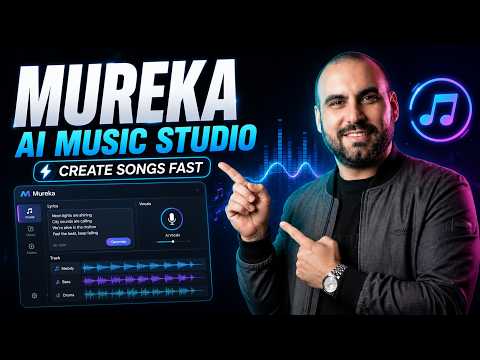
 SaaS Master
 AI Guerrilla
 Music Tech Info
 Suno Zone
 AI With TechZnap
 AI With TechZnap
 Lidori
 Artturi Jalli
 Content Creators
 MoneOnDaBeat
 Vince Xmetric
 Gen AI Spotlight
 Suno Zone
 Justin Brown - Primal Video

 Hit Songwriter Meets AI
 How To Thomas
 Suno Music
 ChillPanic
 Andev Studios
 roninteck
 AI With TechZnap
 DGI Kaos

 Theoretically Media
 Maike
Maike
 Daniel | Tech & Data
 Music Tech Info
 The Introverted Marketer 2025
 AI Tune Craft
 VirtualSkills
 RadioDJ Dude
 Music Tech Info
 NiDat AI
 Music Tech Info
 AI With TechZnap
 Akil Wade
 Skillcraft AI
 SirBrodyThe1st
 AiDIY The Ai Music Guy
 Creative AI Show

 rossibytes
 AI Creatives Connect
AI Song Generator Prompts
AI Song Generator Tools
Create complete, high-quality original songs with vocals from simple text prompts.
Unlimited AI music generation from text prompts and lyrics
Advanced AI music generator for unique, royalty-free songs and custom tracks.
Discover, create, and share high-quality AI-generated music in seconds.
Generate AI music, vocals, and instrumentals instantly from text prompts.
All-in-one AI platform for video, music, and voiceover creation.
Generative AI platform for creating, remixing, and sharing studio-quality songs.
AI-powered online tool to extract vocals and instrumentals from any song.
Ultra-realistic AI voice generator and conversational agent platform.
Generative AI platform for creating, remixing, and sharing studio-quality songs.

An all-in-one AI workspace for documents, design, and data automation.
AI-powered video creation and editing integrated with Google Workspace.

AI-powered platform to create, remix, and distribute royalty-free music.
Frontier multimodal AI models for coding, video, and agentic automation.
AI agent-powered content creation platform with ComfyUI and infinite canvas.

AI-powered music creation platform for generating, editing, and extending tracks.

AI-powered platform for synthetic vocals, music production, and voice cloning.
AI Song Generator Industries
What is an AI Song Generator?
An AI song generator is a tool that creates complete musical compositions, including instrumentation, melody, and human-like singing, based on text descriptions or lyrics. Unlike basic background music tools, these platforms focus on song structure, delivering verses, choruses, and bridges. You would use this for creating personalized gifts, social media jingles, or prototyping song ideas without needing a recording studio.
The General AI Music Workflow
To generate a song, most users follow a standard multi-step process regardless of the tool chosen:
- Select a Mode: Choose between 'Simple Mode' (text-to-song) or 'Custom Mode' (where you provide specific lyrics).
- Define the Style: Input genre tags like 'modern pop', 'jazz', or 'strong drums' to shape the sonic profile.
- Generate and Iterate: The AI typically produces two variations. Listen for the best melody and vocal performance.
- Extend the Track: If the initial clip is too short, use the 'Extend' feature to add a bridge or outro. You must select a timestamp that serves as a natural transition point to ensure the flow remains consistent.
- Refine Lyrics: If the AI hallucinates or produces unexpected results, users often generate new lyrics or use external tools like ChatGPT to polish the text before re-generating.
Top Tools for AI Song Generation
Based on our data of 175 demo clips, these are the most frequently demonstrated tools for creating full songs:
- Suno (48 demos): The most popular choice for generating structured songs with expressive vocals from a single prompt.
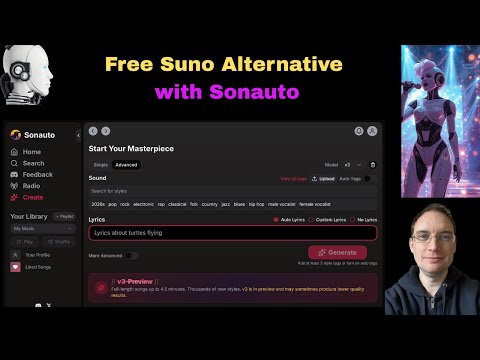
- Sonauto (36 demos): Highly utilized for its 'Weirdness' and 'Style Influence' sliders that offer granular control over the output.
- Mureka (25 demos): Often used in tandem with external lyric generators for high-quality final results.
- Udio (17 demos): Favored for high-fidelity audio and its 'remix' features that allow for precise adjustments.
Pro Tips and Common Pitfalls
Real-world tutorials highlight several key settings to improve your output. For tools with a 'Weirdness' slider, keeping it around 60 provides a balance of creative randomness without turning into noise; setting it to 100 often results in glitches. If you are confident in your prompt, turning 'Style Influence' up to 100 ensures the AI follows your instructions strictly, while 50% to 75% allows the AI more creative freedom.
One common mistake is placing non-lyrical instructions in the text box without brackets; anything not in brackets will be interpreted and sung as actual lyrics. Additionally, remember that extending a song only generates the new audio from the stop point onward—it does not automatically include the first part in the new file.
Frequently asked questions
What is the best AI song generator?
Is there a free AI song generator with voice?
How do I use an AI song generator from text?
Simply enter a descriptive prompt including the genre, mood, and instruments (e.g., 'upbeat indie pop with warm guitars'). For better results, use style tags and specify the vocal gender. You can see real examples of these prompts and their resulting audio clips on this page.
Can I use an AI song generator based on a specific artist?
While you can prompt the AI with phrases like 'inspired by Dua Lipa' or 'in the style of 80s synth-pop,' the tools use their own models to create original melodies. Including specific artist inspirations and instrument descriptions in your prompt is a common strategy found in our sampled tutorials.
Is it legal to use AI to make songs?
Current U.S. copyright law generally protects works created by humans; entirely AI-generated songs may not be eligible for copyright protection. However, many tools grant commercial usage rights to users on paid subscription tiers.
How can I make the AI vocals sound more realistic?
Using 'Advanced Mode' or 'Custom Mode' allows for more detailed results. Tips from our data suggest using the 'Cover' feature to add professional backing vocals and setting the audio slider to 'quite close' to keep the AI from wandering too far from the intended melody.