Mixboard: Applying clothing items to a model

 Mixboard
Demo summary
The user generates individual clothing items and then uses a prompt to show a model wearing those specific accessories and garments together.
Step-by-step
- Generate a set of clothing items and accessories using a prompt
- Import an image of a subject to act as the model
- Drag the specific generated clothing and accessory images onto the canvas near the model
- Select the model and the desired items simultaneously
- Enter a prompt such as 'show the woman wearing the clothing and accessories from the other images' to generate the composite
All demos from “Google Mixboard (Free) AI Canvas for Ideas & Images”
- 0:340:55Generate and edit images in Google MixboardThe user demonstrates starting a new project in Google Mixboard and generating 15 initial images from a single text prompt, then shows how to resize and regenerate specific image blocks.Mixboard· AI Image Generator
- 1:291:44Using image references for style consistencyThe creator shows how to select specific images on the Mixboard canvas to act as style references for generating new consistent characters like a bear, tiger, and penguin.Mixboard· AI Style Transfer
- 3:240:33Adding and styling text on the canvasThe user demonstrates adding a text block to the canvas, editing the string to 'Bob's Critters', and using a prompt to merge the text into an existing image with a specific font style.Mixboard· AI Inpainting
- 4:021:07Placing a person in AI-generated scenesThe user uploads a personal photo to Mixboard and uses prompts to generate images of himself in various everyday life scenes like a coffee shop and a grocery store.Mixboard· AI Inpainting
- 5:221:22Changing clothing and time periods for a subjectThe demonstration shows using a reference photo to generate variations of a person in different clothing styles and historical settings, such as the Wild West and as a pirate.Mixboard· Image to Image
- 7:181:22Creating design variations for merchandiseThe user uploads a t-shirt design and uses Mixboard to generate variations for different professions (engineer, gamer, mechanic) while maintaining the original layout.Mixboard· AI Style Transfer
- 8:411:00Styling a character for seasonal themesThe creator demonstrates how to take a robot mascot character and generate themed versions for Thanksgiving, Christmas, and St. Patrick's Day.Mixboard· AI Inpainting
- 9:420:42Applying clothing items to a modelCurrentThe user generates individual clothing items and then uses a prompt to show a model wearing those specific accessories and garments together.Mixboard· AI Clothing Try-on
- 10:480:59Testing logo placement on promotional productsThe user attempts to place an uploaded logo onto various items like mugs and pens, noting how the AI uses context like file names to interpret the logo text.Mixboard· AI Product Photography
- Watch “Google Mixboard (Free) AI Canvas for Ideas & Images” →
AI Clothing Try-on
 2:051:51Generate professional outfits with Google MixboardThe user uploads a photo of a person and uses a text prompt to generate five different professional suit styles for that person using Google Mixboard.Infotech4you - مروي سليمان
- 9:420:42Applying clothing items to a modelCurrentThe user generates individual clothing items and then uses a prompt to show a model wearing those specific accessories and garments together.Excelerator
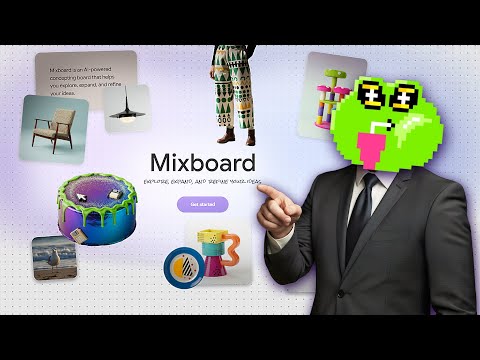 2:410:20Apply specific products to a person in MixboardThe user uploads an image of sunglasses and prompts Mixboard to generate images of a specific girl wearing those exact glasses.Tutorials For You