Studio Pro: Generate AI drum tracks for a guitar recording
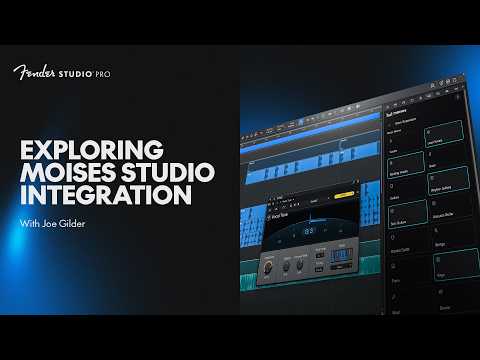
 Studio Pro
Demo summary
The user selects an acoustic guitar track and uses the 'Generate Stem' feature with a 'Country' preset to create a matching drum part.
Step-by-step
- Open Moises and click Generate Stem
- Select Current Selection to use the existing drum track
- Choose Drums as the part type
- Select a genre-specific preset such as Country
- Click Generate Stem
- Monitor the progress bar in the transfer window until completion
Options
- Use Custom instructions instead of presets
- Use the Match setting to align with the existing track
- Allow the AI to automatically choose the best option for the song
Tips
- Try genre-specific presets for their specific tones even if they don't strictly match your song's genre
- Give the software a minute to process as the generation speed can vary
Highlights
“That worked a lot quicker than I thought.”
All demos from “Moises Studio Integration | New in Studio Pro 8.1 | Fender Studio”
- 1:521:37Separate stems from a stereo trackJoe selects a stereo audio track and uses the Moises 'Separate Stems' tool to isolate vocals, bass, guitars, and drums into individual tracks.Studio Pro· AI Vocal Remover & Stem Splitter
- 4:451:02Generate AI drum tracks for a guitar recordingCurrentThe user selects an acoustic guitar track and uses the 'Generate Stem' feature with a 'Country' preset to create a matching drum part.Studio Pro· AI Beat Generator
- 7:410:56Generate an AI bass lineBy selecting both guitar and drum tracks, the user demonstrates generating an upright acoustic bass part that follows the existing rhythm and harmony.Studio Pro· AI Melody & MIDI Generator
- 9:160:26Add AI keyboard accompanimentThe user demonstrates generating a mellow Lo-Fi electric piano part that accompanies the existing guitar, drums, and bass.Studio Pro· AI Melody & MIDI Generator
- Watch “Moises Studio Integration | New in Studio Pro 8.1 | Fender Studio” →
AI Beat Generator
- 4:451:02Generate AI drum tracks for a guitar recordingCurrentThe user selects an acoustic guitar track and uses the 'Generate Stem' feature with a 'Country' preset to create a matching drum part.Fender Studio
 9:091:12Generate new drums for separated stemsAfter separating stems, the user removes the original drums and uses the AI Match feature to generate a completely new drum track that fits the remaining instruments.BenoniStudio