Higgsfield: Testing Orbit, Dolly, and Handheld Camera Presets
 Higgsfield
Demo summary
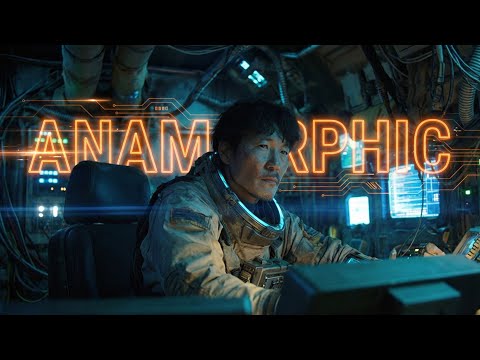
The creator showcases the output of various camera movement presets in Higgsfield, including orbit, dolly-in, handheld, and drone shots applied to anamorphic scenes.
All demos from “AI Anamorphic Cinematography | Higgsfield Cinema Studio Tutorial”
- 1:102:06Applying Anamorphic Lens Emulation in Higgsfield Cinema StudioThe creator demonstrates importing a Midjourney image into Higgsfield Cinema Studio and selecting IMAX film back and Panavision C-series lens settings to generate a 21:9 anamorphic widescreen image.Higgsfield· AI Expand Image
- 4:130:33Generating Video from First and Last Frames in HiggsfieldThe user shows the process of taking an anamorphic wide shot and its modified version (with the character removed) to generate a video transition using Higgsfield's video mode.Higgsfield· Video to Video
- 5:400:49Configuring Camera Movements in Higgsfield Cinema StudioThe demonstration shows the dropdown menu in Higgsfield Cinema Studio where users can select specific camera moves like Dolly, Jib, or Orbit, including the visual GIF previews for each movement.Higgsfield· AI Animation Generator
- 6:421:10Testing Orbit, Dolly, and Handheld Camera PresetsCurrentThe creator showcases the output of various camera movement presets in Higgsfield, including orbit, dolly-in, handheld, and drone shots applied to anamorphic scenes.Higgsfield· AI Video Generator
- 8:340:45Applying Facial Performance with Kling Motion ControlThe video demonstrates using Kling's motion control feature to map a real-life video performance of the creator's face onto an AI-generated anamorphic character.Higgsfield· Video to Video
- Watch “AI Anamorphic Cinematography | Higgsfield Cinema Studio Tutorial” →
AI Video Generator
 8:030:49Simulate professional gear in Cinema StudioThe user uses Cinema Studio to select a full-frame cine digital camera and 35mm lens to generate a high-end cyberpunk image and then adds a 'dolly in' camera movement.Roboverse
 2:02:332:35Troubleshooting AI video motion and FPSThe creator demonstrates how to identify and fix frame rate issues and 'morphing' artifacts in Higgsfield AI video generations by adjusting prompt parameters.Higgsfield AI
 0:561:23Configuring camera settings and grid generation in HiggsfieldThe user demonstrates how to select specific camera bodies, lenses, and focal lengths in Higgsfield Cinema Studio 2, as well as setting up a 16-variation image grid to save credits.Higgsfield AI
 6:020:54Handheld zoom and detailizationA demonstration of a handheld camera zoom-in on a girl eating an onion ring, showcasing realistic textures, sound effects, and slow-motion without morphing.Higgsfield AI
 1:151:02Generate cinematic video with Hunyuan VideoThe creator demonstrates how to use Hunyuan Video's 'Director Mode' and 'Fluid Camera' settings to generate high-quality video clips with complex camera movements and subject focus.Malva AI
- 6:421:10Testing Orbit, Dolly, and Handheld Camera PresetsCurrentThe creator showcases the output of various camera movement presets in Higgsfield, including orbit, dolly-in, handheld, and drone shots applied to anamorphic scenes.Workman Labs
 0:500:52Generate multi-shot scenes with Kling 3.0The creator demonstrates how to use Kling 3.0 on the Higgsfield platform to generate a single video containing multiple camera angles and cuts by specifying timestamps in the prompt.Futurepedia
 2:150:49Mobile video creation workflow in HiggsfieldThe creator demonstrates the Higgsfield progressive web app (PWA), showing its mobile-optimized UI and access to various video models like Kling and Veo.Youri van Hofwegen
 14:321:49Batch Video Generation PipelineThe creator demonstrates setting up a 'factory' workflow to generate multiple videos by connecting one base scene to several different character nodes and running the pipeline.DraftID
 0:340:35Navigating the Higgsfield Canvas interfaceThe creator walks through the Higgsfield Canvas UI, demonstrating how to add nodes for image, video, and voice generation from the sidebar.Joseph Martin
 4:022:39Reviewing Higgsfield AI video generation resultsA showcase of various AI-generated video results including a festive house drone shot, a Grinch animation, and an exploding present, demonstrating the tool's ability to follow complex prompts.InstantHowTo
 1:550:13Accessing Grok Imagine 1.5 in HiggsfieldThe creator demonstrates how to navigate the Higgsfield platform to select and launch the Grok Imagine 1.5 video model.AI for Real Life: Redefining Filmmaking