Reviewing Higgsfield AI video generation results

 Higgsfield
Demo summary
A showcase of various AI-generated video results including a festive house drone shot, a Grinch animation, and an exploding present, demonstrating the tool's ability to follow complex prompts.
All demos from “How To USE NEW Higgsfield AI Cinema Studio (QUICK GUIDE) 2026”
- 1:190:51Generate a start frame image in Higgsfield AIThe user demonstrates how to generate an initial image in Higgsfield AI by selecting a camera (Red V Raptor), lens (Helios), and focal length before entering a text prompt.Higgsfield· Text to Image
- 2:141:23Create AI video from an image promptThe user shows how to convert an image into a video by adding a text description of the action, selecting a 'drone shot' movement, and enabling slow motion in Higgsfield AI.Higgsfield· Image to Video
- 4:022:39Reviewing Higgsfield AI video generation resultsCurrentA showcase of various AI-generated video results including a festive house drone shot, a Grinch animation, and an exploding present, demonstrating the tool's ability to follow complex prompts.Higgsfield· AI Video Generator
- 6:450:27Applying camera orbit movement to AI videoThe user demonstrates setting up a video generation with an 'orbit around' camera movement applied to a previously generated image of Christmas trees.Higgsfield· Image to Video
- Watch “How To USE NEW Higgsfield AI Cinema Studio (QUICK GUIDE) 2026” →
AI Video Generator
 8:030:49Simulate professional gear in Cinema StudioThe user uses Cinema Studio to select a full-frame cine digital camera and 35mm lens to generate a high-end cyberpunk image and then adds a 'dolly in' camera movement.Roboverse
 2:02:332:35Troubleshooting AI video motion and FPSThe creator demonstrates how to identify and fix frame rate issues and 'morphing' artifacts in Higgsfield AI video generations by adjusting prompt parameters.Higgsfield AI
 0:561:23Configuring camera settings and grid generation in HiggsfieldThe user demonstrates how to select specific camera bodies, lenses, and focal lengths in Higgsfield Cinema Studio 2, as well as setting up a 16-variation image grid to save credits.Higgsfield AI
 6:020:54Handheld zoom and detailizationA demonstration of a handheld camera zoom-in on a girl eating an onion ring, showcasing realistic textures, sound effects, and slow-motion without morphing.Higgsfield AI
 1:151:02Generate cinematic video with Hunyuan VideoThe creator demonstrates how to use Hunyuan Video's 'Director Mode' and 'Fluid Camera' settings to generate high-quality video clips with complex camera movements and subject focus.Malva AI
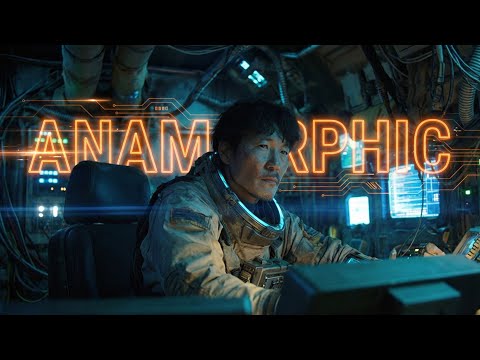 6:421:10Testing Orbit, Dolly, and Handheld Camera PresetsThe creator showcases the output of various camera movement presets in Higgsfield, including orbit, dolly-in, handheld, and drone shots applied to anamorphic scenes.Workman Labs
 0:500:52Generate multi-shot scenes with Kling 3.0The creator demonstrates how to use Kling 3.0 on the Higgsfield platform to generate a single video containing multiple camera angles and cuts by specifying timestamps in the prompt.Futurepedia
 2:150:49Mobile video creation workflow in HiggsfieldThe creator demonstrates the Higgsfield progressive web app (PWA), showing its mobile-optimized UI and access to various video models like Kling and Veo.Youri van Hofwegen
 14:321:49Batch Video Generation PipelineThe creator demonstrates setting up a 'factory' workflow to generate multiple videos by connecting one base scene to several different character nodes and running the pipeline.DraftID
 0:340:35Navigating the Higgsfield Canvas interfaceThe creator walks through the Higgsfield Canvas UI, demonstrating how to add nodes for image, video, and voice generation from the sidebar.Joseph Martin
- 4:022:39Reviewing Higgsfield AI video generation resultsCurrentA showcase of various AI-generated video results including a festive house drone shot, a Grinch animation, and an exploding present, demonstrating the tool's ability to follow complex prompts.InstantHowTo
 1:550:13Accessing Grok Imagine 1.5 in HiggsfieldThe creator demonstrates how to navigate the Higgsfield platform to select and launch the Grok Imagine 1.5 video model.AI for Real Life: Redefining Filmmaking