MailerLite: Designing and configuring a website popup

 MailerLite
Demo summary
Demonstration of creating a lead-capture popup, selecting templates, customizing the visual design (including countdown timers), and setting behavioral triggers like scroll depth or exit intent.
Step-by-step
- Click Create form at the top of the dashboard
- Select Pop-ups as the form type
- Enter a name for your form and click Save and continue
- Select a subscriber group to add new signups to
- Choose a template from the available categories like Events, Signups, or Lead gen
- Customize the design by editing text, elements, or the countdown timer
- Configure behavioral triggers such as time delay, scroll depth, or exit intent
- Set the frequency and visibility rules for the popup
- Copy the provided JavaScript snippet and insert it into your website code
Options
- Choose between Lightbox, Slide-in, Half screen, Full screen, or Floating popup types
- Trigger popup after a specific time delay (e.g., 5 or 20 seconds)
- Trigger popup based on scroll percentage (50%, 75%, or 100%)
- Enable 'Show before closing page' (exit intent)
- Set frequency to hide the popup for a specific period (e.g., one month) for returning users
- Schedule the popup to activate at a specific time
- Hide the popup on specific website pages
Watch out for
- The 'show before closing page' (exit intent) trigger does not work on mobile devices
- You must select a subscriber group before proceeding to the design stage
- Inserting the form requires the ability to paste JavaScript or HTML snippets into your website's code
Tips
- Use the preview feature to see how templates look before selecting them
- Set the frequency to one month so users aren't 'spammed' with the same popup repeatedly
- Be cautious with exit-intent triggers as some users find them annoying or 'spammy'
Highlights
“everything's very intuitive. You'll find your way around MailerLite whilst you create these.”
All demos from “MailerLite Review 2026: The BEST Email Marketing Service?”
- 0:390:48Importing subscribers to MailerLiteThe creator demonstrates how to add subscribers via CSV, manual entry, or direct import from Mailchimp using the subscriber dashboard.MailerLite· Import / migrate contacts
- 3:295:56Creating a broadcast campaign in MailerLiteA step-by-step walkthrough of setting up a regular campaign, including subject lines, preheaders, selecting recipients, and using the drag-and-drop template editor to customize blocks.MailerLite· Design a newsletter / email (drag-and-drop editor)
- 9:257:08Setting up an automation workflowThe video shows how to create a welcome email sequence, including setting triggers (joining a group), adding time delays, and designing the automated emails.MailerLite· Build a welcome / drip automation
- 16:335:22Designing and configuring a website popupCurrentDemonstration of creating a lead-capture popup, selecting templates, customizing the visual design (including countdown timers), and setting behavioral triggers like scroll depth or exit intent.MailerLite· Add an opt-in popup
- 21:550:56Creating digital products in MailerLiteShows the interface for adding digital products, including setting names, descriptions, pricing, and discounts for sale through the platform.MailerLite· Set up digital products
- Watch “MailerLite Review 2026: The BEST Email Marketing Service?” →
Add an opt-in popup
- 16:335:22Designing and configuring a website popupCurrentDemonstration of creating a lead-capture popup, selecting templates, customizing the visual design (including countdown timers), and setting behavioral triggers like scroll depth or exit intent.Matt Crawford
 19:502:57Create and configure a signup popupDemonstrates selecting a popup template, customizing the design and form fields, and setting display triggers like time delay or exit intent.Metics Media
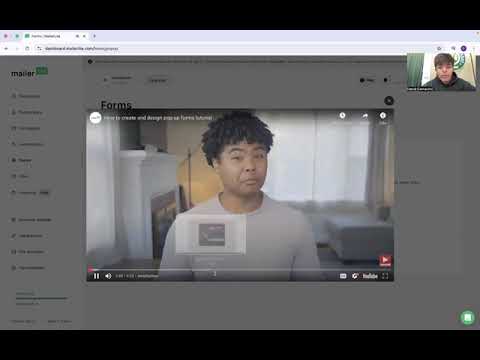 1:590:29Creating popups and sign-up formsA walkthrough of the forms section showing how to create and edit popups to capture customer engagement.BrandLens Consulting