Animate complex photos with VEED Fabric 1.0

 Veed
Veed
Demo summary
A demonstration of animating a photo of a person holding a cat, showing how the AI handles realistic movement of both the subject and the animal.
Step-by-step
- Click the generate button
- Select Fabric 1.0
- Upload an image
- Add a pre-recorded audio recording
- Wait a few minutes for the video to process
Highlights
“this is genuinely impressive. Just watch how lifelike my cat's legs are dangling down. The movements are very realistic.”
All demos from “I Turned My Photos Into Talking Videos in 60 Seconds (VEED Fabric 1.0)”
- 1:211:48Animate a photo into a talking video with VEED Fabric 1.0The user demonstrates uploading a personal photo and an audio file to VEED, selecting the Fabric 1.0 model to generate a realistic talking avatar video.Veed· AI Avatar Video Generator
- 3:090:23Edit AI video using transcript-based editing in VEEDThe video shows how to trim silence and remove specific words from the generated AI video by highlighting text in the VEED script editor.Veed· AI Video Editor
- 3:510:31Animate complex photos with VEED Fabric 1.0CurrentA demonstration of animating a photo of a person holding a cat, showing how the AI handles realistic movement of both the subject and the animal.Veed· Image to Video
- 4:220:17Apply video effects and background music in VEEDThe user shows how to add a fade-in animation, adjust color settings like brightness and contrast, and add background music within the VEED editor.Veed· AI Video Editor
- 4:590:19Convert photo to 3D cartoon with Nano BananaA brief walkthrough of using Nano Banana to transform a standard photo into a 3D cartoon character using a text prompt.Veed· AI Style Transfer
- 5:330:14Apply AI Eye Contact correction in VEEDThe user demonstrates the 'eye contact' toggle in VEED to redirect a character's gaze from a laptop screen toward the camera.Veed· AI Video Editor
- Watch “I Turned My Photos Into Talking Videos in 60 Seconds (VEED Fabric 1.0)” →
Image to Video
 9:481:19Convert AI images to videoThe user demonstrates the 'make video' feature by animating a previously generated static image using the Clean 3 Pro model.AI Guy
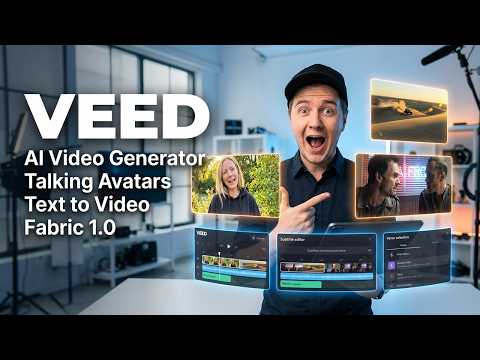 2:530:36Image-to-video generation with Kling Free ProUsing VEED's video feature, the user uploads a previously generated image and uses the Kling Free Pro model to animate the character lifting a smartphone and talking.Eigi and AI
 8:331:11Control camera movement in AI animations with VeedThe creator demonstrates Veed's image-to-video tool, specifically showing how to use separate prompts for animation and camera movement (pans, dollies, orbits) to control the final output.Malva AI
- 3:510:31Animate complex photos with VEED Fabric 1.0CurrentA demonstration of animating a photo of a person holding a cat, showing how the AI handles realistic movement of both the subject and the animal.Mike Dee
 1:090:42Generate 15-second AI video with Wan 2.6The user demonstrates how to use the Wan 2.6 model within VEED by uploading a reference image, selecting the model, and entering a detailed text prompt to generate a video.VEED STUDIO
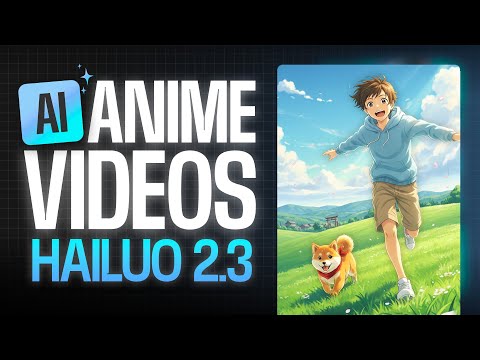 1:290:39Animate images using Hailuo 2.3 in VEEDThe video shows the process of uploading a reference image to the VEED AI playground, selecting the Hailuo 2.3 model, and entering a motion prompt to generate a 10-second anime video.VEED STUDIO
 6:300:20Animate images with VEED Fabric 1.0The video shows how to upload a static character image into VEED Fabric 1.0 to generate a talking video with realistic movement and audio.AI Master