Kling AI: Maintain subject consistency in Kling 3.0
 Kling AI
Demo summary
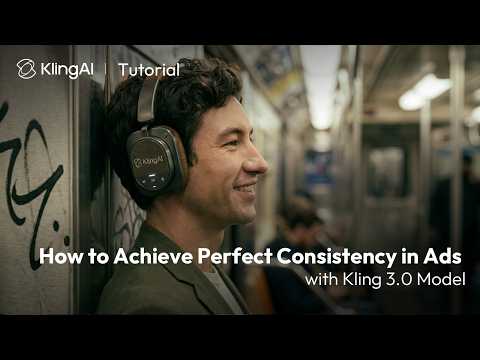
The video demonstrates how to use the 'bind elements' and 'AI multi-shot' features in Kling 3.0 to keep products and characters consistent by uploading start/end frames and multiple renders.
Step-by-step
- Upload a start and end frame in the Video 3.0 generation interface
- Click Bind Elements
- Upload a single product render
- Select AI Multi-shot
- Choose the set of product images you prefer
Options
- Upload three renders from different angles directly instead of using AI Multi-shot
- Bind up to three subjects at once
- Apply the same consistency process to characters instead of products
Highlights
“Pretty powerful, right?”
All demos from “How to Achieve Perfect Consistency in Ads with Kling 3.0 Model | Tutorial”
- 0:240:26Maintain subject consistency in Kling 3.0CurrentThe video demonstrates how to use the 'bind elements' and 'AI multi-shot' features in Kling 3.0 to keep products and characters consistent by uploading start/end frames and multiple renders.Kling AI· AI Video Generator
- 0:500:17Keep logos and text consistent with Kling 3.0The user shows how to maintain readable logos on products by binding the subject and using specific prompt instructions within the Kling AI interface.Kling AI· AI Video Generator
- Watch “How to Achieve Perfect Consistency in Ads with Kling 3.0 Model | Tutorial” →
AI Video Generator
- 0:240:26Maintain subject consistency in Kling 3.0CurrentThe video demonstrates how to use the 'bind elements' and 'AI multi-shot' features in Kling 3.0 to keep products and characters consistent by uploading start/end frames and multiple renders.Kling AI
- 0:500:17Keep logos and text consistent with Kling 3.0The user shows how to maintain readable logos on products by binding the subject and using specific prompt instructions within the Kling AI interface.Kling AI
 4:280:42Generate AI video with sound effectsThe user demonstrates enabling the 'Audio' toggle in the desktop site version of the tool to generate a video that includes synchronized AI-generated sound effects.Vikash Ai Pro
  2:400:13Generate multi-shot video cuts in Kling 3.0The user demonstrates how to enable the multi-shot toggle in Kling 3.0 to automatically create a cinematic cut in the middle of a generated clip.Kling AI
 4:391:12Reviewing Kling AI video generation resultsThe creator reviews the final video outputs for both the text-to-video helicopter prompt and the animated bird image, evaluating the motion quality and visual consistency.Caffeinated Blogger