Higgsfield: Video-to-video referencing with Seedance 2.0

 Higgsfield
Demo summary
The creator shows how to use an existing video as a structural reference to generate a new stylized video using the Seedance 2.0 model inside Higgsfield.
All demos from “How to Start Making AI Videos in 2026 - Full Course”
- 6:400:38Generate a cinematic location in HiggsfieldThe creator uses Cinema Studio 2.5 to generate a high-quality image of a rooftop over a war-torn city by inputting specific emotional and lighting prompts.Higgsfield· Text to Image
- 7:431:33Create a consistent character with Cinema StudioThe user demonstrates building a consistent female soldier character by selecting specific attributes like genre, budget, era, and physical details within the Higgsfield interface.Higgsfield· AI Person Generator
- 9:160:28Combine character and location into a sceneThe demo shows how to merge a previously created character and location into a single 4K image while applying composition principles like leading lines and depth.Higgsfield· AI Image Combiner
- 9:511:11Post-generation image editing and color gradingThe creator uses Higgsfield's editing tools to adjust color presets, temperature, bloom, and even change the lighting direction on a generated image.Higgsfield· AI Relighting
- 11:441:26Animate a single shot with camera controlsThe video demonstrates converting a still image into a video by setting character emotions, camera movements (cinematic push), and speed ramps in Cinema Studio.Higgsfield· Image to Video
- 13:221:17Multi-shot video generation in manual modeThe user demonstrates the multi-shot manual mode to stitch three different scenes together, each with unique prompts and camera movements, while maintaining character consistency.Higgsfield· Script To Video AI Generator
- 14:470:45Video-to-video referencing with Seedance 2.0CurrentThe creator shows how to use an existing video as a structural reference to generate a new stylized video using the Seedance 2.0 model inside Higgsfield.Higgsfield· Video to Video
- Watch “How to Start Making AI Videos in 2026 - Full Course” →
Video to Video
 2:570:20Animate AI influencer with Hickfield AIThe creator demonstrates an alternative motion control method using Hickfield AI to map video movement onto a generated influencer image.Fayyaz Ahmed
 21:060:55Applying VFX templates in HiggsfieldThe creator demonstrates Higgsfield's library of pre-made VFX templates, such as the 'earth zoom out' effect, to quickly generate stylized video content.Dan Kieft
- 14:470:45Video-to-video referencing with Seedance 2.0CurrentThe creator shows how to use an existing video as a structural reference to generate a new stylized video using the Seedance 2.0 model inside Higgsfield.Youri van Hofwegen
 7:240:31Motion control and background replacementThe user demonstrates transferring motion from a source video of a man running into a new generated environment (horror hallway) using Higgsfield AI.Higgsfield AI
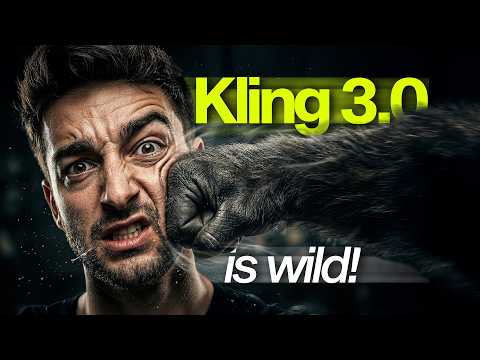 17:060:48Restyle video backgrounds with Kling 3.0 OmniEditThe creator demonstrates the OmniEdit model by uploading a video and using a text prompt to change the background to a snowy mountain while keeping the subject intact.Sebastien Jefferies
 5:351:01Character replacement using Recast StudioA walkthrough of the Recast tool on Higgsfield AI, showing how to replace a video character's entire appearance, voice, and background using presets or custom images.Atomic Gains
- 7:520:46Character animation with Higgsfield AnimateThe creator uses Higgsfield Animate (WAN 2.2) to animate a static character image based on the movements of a source video, turning a person holding a pen into an explorer with a candle.Atomic Gains
 19:030:52AI Video Motion Control with Kling 3.0The video shows the process of using a personal video recording as a motion capture input to drive the movements of an AI-generated character using the Kling 3.0 model inside Higgsfield.David Manning
 0:210:16Accessing Kling Motion Control on HiggsfieldThe creator shows the Higgsfield interface, navigating to the video tab and explaining how to upload a source motion video and a target character image.Atomic Gains
- 13:360:29Transforming hands in video using Kling EditThe creator shows how to use Kling Edit to transform human hands into orc hands while maintaining the original drawing motion on paper.Atomic Gains
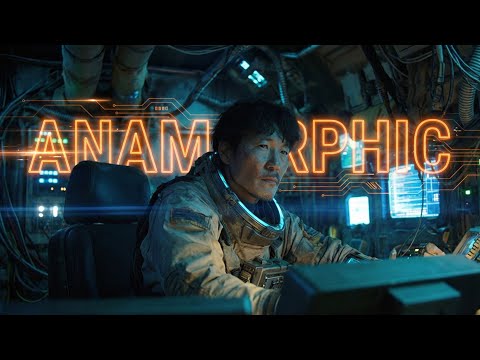 4:130:33Generating Video from First and Last Frames in HiggsfieldThe user shows the process of taking an anamorphic wide shot and its modified version (with the character removed) to generate a video transition using Higgsfield's video mode.Workman Labs
- 8:340:45Applying Facial Performance with Kling Motion ControlThe video demonstrates using Kling's motion control feature to map a real-life video performance of the creator's face onto an AI-generated anamorphic character.Workman Labs