Performance capture with Runway Act One

 Runway
Demo summary
The creator walks through the Act One feature in Runway ML, which captures an actor's performance to map it onto different characters and environments.
All demos from “LUMA AI'S DREAM MACHINE OR RUNWAY ML? (EP.498)”
- 2:230:35Modify video with Luma AI Dream MachineThe video demonstrates Luma AI's 'modify video' feature, showing how real-world footage of a person can be transformed and placed into fantastical environments.LLuma Dream Machine Arena· Video to Video
- 4:160:21Performance capture with Runway Act OneCurrentThe creator walks through the Act One feature in Runway ML, which captures an actor's performance to map it onto different characters and environments.Runway· Video to Video
- Watch “LUMA AI'S DREAM MACHINE OR RUNWAY ML? (EP.498)” →
Video to Video
 5:410:12Apply character styles with Runway ReStyleThe demonstration shows how a video of a human actor's performance is transformed into a stylized AI character using Runway ReStyle.The Wall Street Journal
 7:521:32Video-to-Video manipulation with Runway Gen-1The user demonstrates uploading a video to the Gen-1 interface to modify its style and content using presets and text prompts.Skills Factory
- 10:050:26Animate characters with Runway Act-OneThe video demonstrates the Act-One tool, showing how a character image can follow the facial expressions and movements of a source video.Skills Factory
 12:411:00Transform video scenes with Runway Gen-3 AlphaThe user demonstrates uploading a video of himself riding a bike into Runway and using text prompts to transform the environment into a blizzard and a heavy downpour.@KevinStratvert
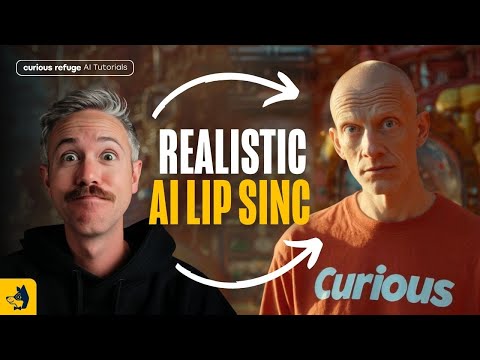 15:111:55Transfer performance with Runway Act-OneThe tutorial shows how to use Runway Act-One (referred to as Act Two) by uploading a 'driving video' of a person speaking and a target character video to transfer the facial performance and lip-sync.Curious Refuge
 6:350:57Edit video with Runway AlephThe demonstrator uses the Aleph tool to modify a generated video by replacing a horse with a 'fire horse' using simple text instructions.Skills Factory
 8:420:48Change weather and lighting with Runway AlephThe demo shows Runway Aleph transforming a sunny desert into a snowstorm and converting daylight footage into a sunset or nighttime scene with realistic light interaction on clothing.Joris Hermans
- 9:570:45Change camera angles using Runway AlephThe creator demonstrates the model's ability to generate a completely different camera angle of a subject from a single original video shot.Joris Hermans
 38:592:37Character animation with Runway Act OneA demonstration of Runway's Act One tool, where a driving video of the presenter is used to animate a static image of Nicolas Cage, matching facial expressions and lip movements.The FAIK Files
 4:380:18Generate particle effects with RunwayA demonstration of using Runway to animate a spirit character with specific prompts for purple particles and billowing smoke.Curious Refuge
- 4:160:21Performance capture with Runway Act OneCurrentThe creator walks through the Act One feature in Runway ML, which captures an actor's performance to map it onto different characters and environments.theC47
 6:340:49Change weather in video with RunwayThe presenter shows how to use the weather tool in Runway to transform a sunny daytime scene into a snowstorm using text prompts and presets.Emma's Productivity Lab