Animate static images with LTX Studio video models

 LTX Studio
Demo summary
The video shows the process of taking a generated still from FLUX.1 Kontext and animating it using video models like LTX Turbo or Google V2.
Step-by-step
- Upload your image as a reference
- Describe the changes you want to see in the prompt
- Select a video model such as V13B, LTX Turbo, or Google V2
- Generate the animated sequence
Options
- Switch the lens
- Change the camera angle
- Reframe the shot entirely
- Choose between V13B, LTX Turbo, or Google V2 video models
All demos from “How to use FLUX.1 Kontext”
- 0:430:17Generate images with natural language in FLUX.1 KontextThe video demonstrates generating a specific scene of a woman in a bedroom with film grain using a single descriptive prompt in FLUX.1 Kontext.LTX Studio· Text to Image
- 1:170:17Style transfer using FLUX.1 KontextThe user demonstrates applying the visual style of a crayon drawing to a new subject using the style transfer feature in FLUX.1 Kontext.LTX Studio· AI Style Transfer
- 1:340:38Inpainting and environment editing in FLUX.1 KontextThe demo shows how to use image references and prompts to change a character's jacket color, background environment, and lighting within LTX Studio.LTX Studio· AI Inpainting
- 3:030:33Animate static images with LTX Studio video modelsCurrentThe video shows the process of taking a generated still from FLUX.1 Kontext and animating it using video models like LTX Turbo or Google V2.LTX Studio· Image to Video
- Watch “How to use FLUX.1 Kontext” →
Image to Video
- 3:030:33Animate static images with LTX Studio video modelsCurrentThe video shows the process of taking a generated still from FLUX.1 Kontext and animating it using video models like LTX Turbo or Google V2.LTX_io
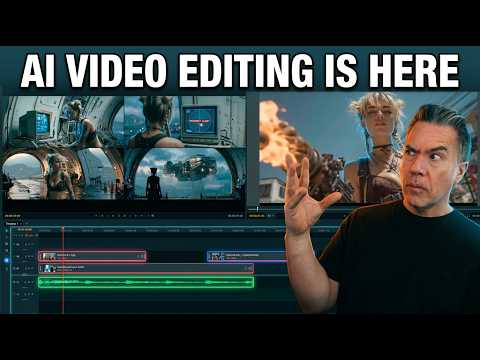 10:020:25Image-to-video generation from the timelineA still image is imported into the LTX Desktop timeline and converted into a video clip using the integrated image-to-video settings and camera motion controls.Theoretically Media
 4:460:18Adding motion to storyboard imagesThe creator demonstrates the 'generate motion' feature and the motion editor to convert static storyboard images into animated video clips.Jon Kent
 1:350:35Generate images and motion in LTX StudioThe user demonstrates how to generate a still image from a prompt and then use the 'generate motion' feature to turn a static car image into a realistic video clip.AI Guy
 14:131:03Character consistency testing in BachThe video shows image-to-video generations in the Bach model, specifically testing character consistency using celebrity likenesses like Anne Hathaway and Lucy Liu.Theoretically Media
 4:150:31Image-to-video conversion in LTX StudioThe creator shows the process of uploading a static image to LTX Studio and applying a text prompt to animate it into a video clip.Brain Project
 6:180:18Convert image to video with LTX StudioThe video shows the 'image to video' feature in LTX Studio, transforming a static image of a cat into a dynamic video with realistic water ripples.MindForge AI
 20:312:59Converting still images to video with LTX 2.3The presenter uses the LTX 2.3 video model to animate a still image of headphones, applying a 'dolly in' camera preset and a text prompt for motion.LTX_io