Generate AI images using the block system in GenTube

 GenTube
Demo summary
The creator demonstrates how to use GenTube's block system to select art styles, locations (like Jade City), and subjects (like a steampunk woman) to generate high-quality images in seconds.
Step-by-step
- Click on Create to open the main creation page
- Select a style from the Art Style section or type a specific style into the search bar
- Click on Place to choose a location or background
- Click on Subject to select a category such as person, animal, or object
- Select a specific subject from the suggestions to trigger image generation
- Click on the generated images at the bottom of the screen to preview them
Options
- Search for specific styles by typing (e.g., 'surreal')
- Click Show More in the Place section to view additional cities
- Remove selected blocks from the top bar to change the generation parameters
Tips
- Use the 'Show More' button under the person category to access a wider variety of subject options
- Combine specific locations like 'Jade City' with subjects like 'steampunk woman' to maintain a specific visual vibe
Highlights
“Everything is easily accessible here including style, place, subject, character, and more.”
All demos from “GenTube AI Review: The ULTIMATE FREE AI Image Generator With NO LIMITS”
- 1:462:29Generate AI images using the block system in GenTubeCurrentThe creator demonstrates how to use GenTube's block system to select art styles, locations (like Jade City), and subjects (like a steampunk woman) to generate high-quality images in seconds.GenTube· AI Image Generator
- 4:471:06Adjust image aspect ratios in GenTubeThe user shows how to use the advanced settings in GenTube to instantly switch between square, landscape, portrait, and 9:16 aspect ratios for an existing generation.GenTube· AI Crop Image
- 8:140:31Remix community creations in GenTubeThe creator demonstrates how to take an image from another user's profile and apply new styles, such as 'sci-fi' or 'Christmas', while keeping the original prompt structure.GenTube· AI Style Transfer
- 9:040:49Modify image mood and lighting with GenTube RemixThe user demonstrates the Remix interface to cycle through different lighting, layout, and mood settings to subtly alter a generated image.GenTube· AI Relighting
- 9:530:37Convert AI images to video in GenTubeThe video shows the 'Make Video' feature in GenTube, which transforms a static AI-generated image into a short animated video clip.GenTube· Image to Video
- Watch “GenTube AI Review: The ULTIMATE FREE AI Image Generator With NO LIMITS” →
AI Image Generator
- 1:462:29Generate AI images using the block system in GenTubeCurrentThe creator demonstrates how to use GenTube's block system to select art styles, locations (like Jade City), and subjects (like a steampunk woman) to generate high-quality images in seconds.Desire
 2:341:17Using the GenTube 'Swiping' slot machine interfaceThe video shows a unique UI in GenTube where users can lock specific attributes like lighting or layout and 'swipe' to randomly generate new variations of an image.Dom the AI Tutor | Tech Tutor Zones
- 4:040:23Enhancing prompts with the Beautify toolThe user demonstrates the 'beautify' feature in GenTube, which automatically expands a simple prompt into a more detailed, high-quality version to improve the output image.Dom the AI Tutor | Tech Tutor Zones
- 6:220:42Remixing community images in GenTubeThe user explores the community feed, selects an image created by another user, and uses the 'play' and 'remix' functions to modify it with new prompt elements.Dom the AI Tutor | Tech Tutor Zones
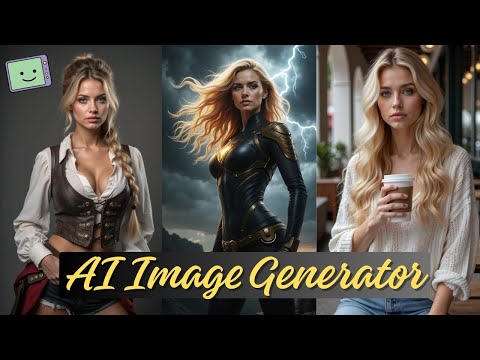 4:131:31Using Chain Blocks for character and scene buildingThe demonstration covers 'chain blocks' to define subjects and places (like a city or beach) to maintain consistency across generated images.Fahed Zaman
 5:060:32Using Gentube creation menu and style filtersThe demonstration shows the creation bar where users enter prompts and select parameters such as city, place, and time to refine AI image results.Mr Raza
 9:330:34Beautifying prompts with LLM enhancementThe 'beautify your image' feature is shown, which uses a backend LLM to expand a simple prompt like 'sports car' into a highly detailed, lengthy prompt for better results.SECourses