GenTube: Enhancing prompts with the Beautify tool

 GenTube
Demo summary
The user demonstrates the 'beautify' feature in GenTube, which automatically expands a simple prompt into a more detailed, high-quality version to improve the output image.
Step-by-step
- Enter a simple prompt in the text field
- Click the Beautify your image button to expand the prompt
- Click the button again to generate a different prompt variation
- Click Toggle blocks panel to view additional settings
Options
- Generate multiple prompt variations by clicking the beautify button repeatedly
Highlights
“what is amazingly cool here is you can click here toggle blocks panel”
All demos from “Best FREE AI Image Generator | GenTube Full Tutorial & Review”
- 0:580:33Real-time image generation with GenTubeThe user demonstrates GenTube's real-time generation capabilities by typing a prompt for a 'black cat in the forest with roller skates' and showing the image update instantly.GenTube· Text to Image
- 1:370:43Applying styles and weight adjustments in GenTubeThe demonstrator shows how to use the settings menu in GenTube to apply styles like cyberpunk, pixel art, and baroque, using a slider to adjust the intensity of the effect.GenTube· AI Style Transfer
- 2:341:17Using the GenTube 'Swiping' slot machine interfaceThe video shows a unique UI in GenTube where users can lock specific attributes like lighting or layout and 'swipe' to randomly generate new variations of an image.GenTube· AI Image Generator
- 4:040:23Enhancing prompts with the Beautify toolCurrentThe user demonstrates the 'beautify' feature in GenTube, which automatically expands a simple prompt into a more detailed, high-quality version to improve the output image.GenTube· AI Image Generator
- 4:271:03Building images with Toggle BlocksThe demonstrator uses the 'Toggle Blocks' panel in GenTube to add specific elements like 'Central Park' or 'Sunglasses' to an existing image by clicking predefined category blocks.GenTube· AI Inpainting
- 6:220:42Remixing community images in GenTubeThe user explores the community feed, selects an image created by another user, and uses the 'play' and 'remix' functions to modify it with new prompt elements.GenTube· AI Image Generator
- Watch “Best FREE AI Image Generator | GenTube Full Tutorial & Review” →
AI Image Generator
 1:462:29Generate AI images using the block system in GenTubeThe creator demonstrates how to use GenTube's block system to select art styles, locations (like Jade City), and subjects (like a steampunk woman) to generate high-quality images in seconds.Desire
- 2:341:17Using the GenTube 'Swiping' slot machine interfaceThe video shows a unique UI in GenTube where users can lock specific attributes like lighting or layout and 'swipe' to randomly generate new variations of an image.Dom the AI Tutor | Tech Tutor Zones
- 4:040:23Enhancing prompts with the Beautify toolCurrentThe user demonstrates the 'beautify' feature in GenTube, which automatically expands a simple prompt into a more detailed, high-quality version to improve the output image.Dom the AI Tutor | Tech Tutor Zones
- 6:220:42Remixing community images in GenTubeThe user explores the community feed, selects an image created by another user, and uses the 'play' and 'remix' functions to modify it with new prompt elements.Dom the AI Tutor | Tech Tutor Zones
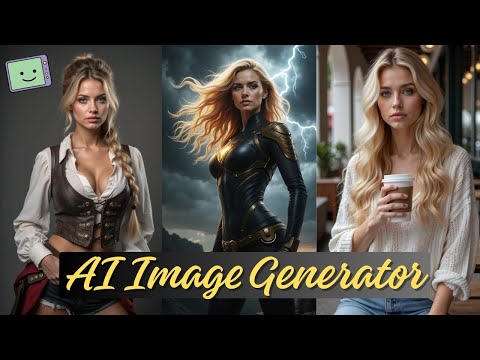 4:131:31Using Chain Blocks for character and scene buildingThe demonstration covers 'chain blocks' to define subjects and places (like a city or beach) to maintain consistency across generated images.Fahed Zaman
 5:060:32Using Gentube creation menu and style filtersThe demonstration shows the creation bar where users enter prompts and select parameters such as city, place, and time to refine AI image results.Mr Raza
 9:330:34Beautifying prompts with LLM enhancementThe 'beautify your image' feature is shown, which uses a backend LLM to expand a simple prompt like 'sports car' into a highly detailed, lengthy prompt for better results.SECourses