Gemini: Precise object editing and lighting effects

 Gemini
Demo summary
Gemini Omni is shown performing micro-edits such as changing a jacket's color and adding a light-tracking lens flare through text commands.
Step-by-step
- Input a text command to shift the jacket hue toward red
- Use the model to remove objects from the frame
- Apply a lens flare effect by identifying the light source
Watch out for
- Expect slight texture inconsistencies in the fill area when removing objects
Tips
- Use the model for micro-edits where detail precision is required
- Rely on the model's ability to track light sources for motivated lens flares rather than using static filters
Highlights
“That level of precision is not something I expected from a flash model.”
All demos from “Goodbye Seedance... Gemini Omni: Google’s New AI Video Model is INSANE”
- 1:500:30Generate physics-based video with Gemini OmniThe user demonstrates Gemini Omni's physics understanding by prompting it to create a video of a ceramic teapot falling and shattering on a tile floor.Gemini· Text to Video
- 2:200:33Sequence multi-element scenes in Gemini OmniA demonstration of cause-and-effect logic where Gemini Omni generates a street market scene with wind affecting multiple objects in sequence.Gemini· AI Realistic Image Generator
- 2:550:30Animate architectural photos with Gemini OmniThe user combines a reference image of a brutalist building with a text prompt to generate a time-lapse video with moving clouds and shadows.Gemini· Image to Video
- 5:070:45Create a talking AI avatar in Gemini OmniThe video walks through the process of recording a 30-second clip to train Gemini Omni to generate a talking digital avatar of the user.GGoogle Omni· AI Avatar Video Generator
- 6:271:22Apply visual style presets in Gemini OmniThe user demonstrates various style templates including Noir, 80s music video, Origami, and Pixelate to transform the look of generated video clips.GGoogle Omni· Video to Video
- 9:010:45Generate animated memes with Gemini OmniThe 'Meme Me' template is shown taking a user photo and automatically applying meme formatting, typography, and subtle facial animation.Gemini· AI GIF Generator
- 10:000:52Conversational video editing in Gemini OmniThe user demonstrates editing a video by simply typing chat commands to change the environment from a park to a beach without regenerating the subject.Gemini· AI Video Editor
- 10:520:43Precise object editing and lighting effectsCurrentGemini Omni is shown performing micro-edits such as changing a jacket's color and adding a light-tracking lens flare through text commands.Gemini· AI Inpainting
- 14:540:37Create video sequences from multiple photosGemini Omni takes five separate photos and generates a coherent 10-second video sequence with smooth transitions and a consistent mood.Gemini· Image to Video
- 15:350:41Animate static infographics with Gemini OmniThe user demonstrates feeding a flat chart into the model and prompting it to animate the data points in a logical reveal sequence.Gemini· AI Animation Generator
- Watch “Goodbye Seedance... Gemini Omni: Google’s New AI Video Model is INSANE” →
AI Inpainting
 1:130:21Maintain character consistency with Gemini 2.5 FlashThe video demonstrates how Gemini 2.5 Flash (Nano Banana) can modify an existing image, such as changing a person's clothing to a suit, while keeping the original character's face consistent.Fireship
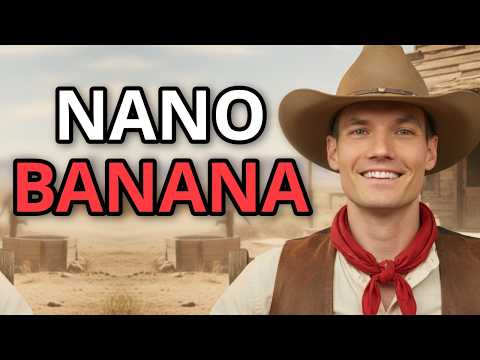 2:040:52Iterative image editing with Nano BananaThe video shows how to refine a generated image by changing the text on a sign and adjusting the lighting/weather conditions through follow-up prompts.@KevinStratvert
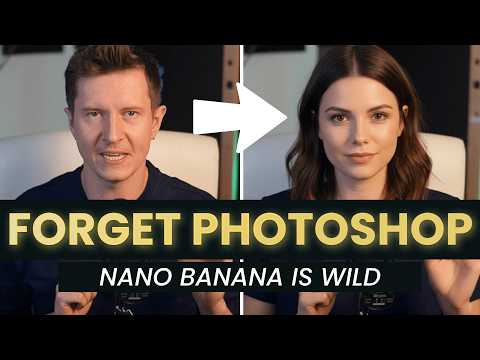 1:580:39Preview hairstyles with Gemini 2.5 FlashThe creator shows how to use Gemini to modify a person's hair in an uploaded photo, demonstrating a buzz cut and long blonde hair transformations.AI Samson
- 18:530:57Edit YouTube thumbnails with GeminiThe creator walks through upgrading a low-quality video screenshot into a thumbnail by prompting Gemini to change his expression, add studio lighting, and insert a phone into his hand.AI Samson
 2:490:12Edit an existing AI image with natural languageThe user demonstrates how to modify a generated image by providing a follow-up prompt to make the sunset more dramatic using Nano Banana's editing capabilities.The AI Advantage
 4:040:52Iterative editing on multiple AI graphicsThe user demonstrates how to modify a batch of generated images by adding a 'dabbing pose' and then removing specific floating objects like clovers using natural language commands.Philip Anders
- 10:520:43Precise object editing and lighting effectsCurrentGemini Omni is shown performing micro-edits such as changing a jacket's color and adding a light-tracking lens flare through text commands.AI Master
 3:190:35Modify image colors using AI promptsThe demonstrator uses a text prompt to 'Change the color to purple' on a selected image, showing Google Mixboard's AI regenerating the asset in real-time.Learn AI Tools