Gemini: Edit an existing AI image with natural language

 Gemini
Demo summary
The user demonstrates how to modify a generated image by providing a follow-up prompt to make the sunset more dramatic using Nano Banana's editing capabilities.
Step-by-step
- Generate an initial image
- Provide a follow-up prompt describing the specific change
- Refer directly to the existing image in your request
Watch out for
- You must refer to the image in your prompt to trigger the edit functionality
Tips
- Use descriptive language like 'more dramatic' to influence specific environmental elements like sunsets
Highlights
“As long as you're referring to the image, you can make any edits imaginable. Nice.”
All demos from “How to Make & Edit Images with Nano Banana for Beginners”
- 0:360:11Generate a landscape image with Nano BananaThe creator demonstrates generating a high-quality image of a beach in the Maldives using a simple text prompt in the standard Nano Banana model.Gemini· Text to Image
- 1:010:12Switching to Nano Banana Pro in GeminiThe video shows the specific UI steps to switch the Gemini model to 'thinking with free Pro' to access the more advanced Nano Banana Pro image generation features.Gemini· AI Image Generator
- 1:530:37Create a custom birthday card using personal photosThe creator uploads two personal photos and uses Nano Banana Pro to generate a composite image featuring the subjects on a surfing trophy podium with custom text and graphics.Gemini· AI Image Combiner
- 2:490:12Edit an existing AI image with natural languageCurrentThe user demonstrates how to modify a generated image by providing a follow-up prompt to make the sunset more dramatic using Nano Banana's editing capabilities.Gemini· AI Inpainting
- Watch “How to Make & Edit Images with Nano Banana for Beginners” →
AI Inpainting
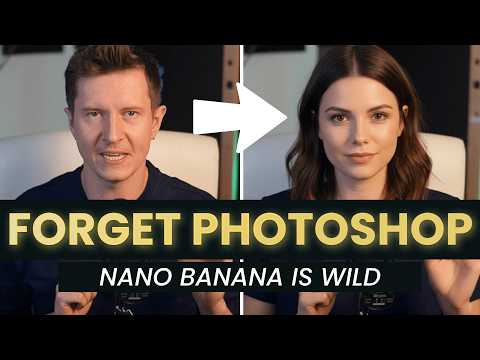 1:580:39Preview hairstyles with Gemini 2.5 FlashThe creator shows how to use Gemini to modify a person's hair in an uploaded photo, demonstrating a buzz cut and long blonde hair transformations.AI Samson
- 18:530:57Edit YouTube thumbnails with GeminiThe creator walks through upgrading a low-quality video screenshot into a thumbnail by prompting Gemini to change his expression, add studio lighting, and insert a phone into his hand.AI Samson
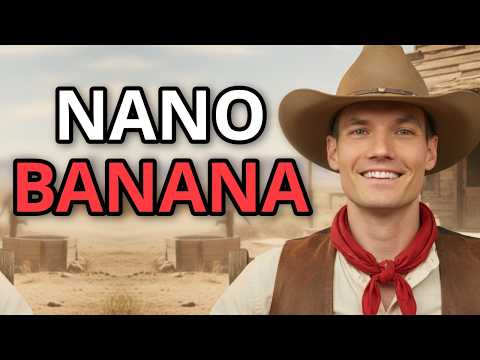 2:040:52Iterative image editing with Nano BananaThe video shows how to refine a generated image by changing the text on a sign and adjusting the lighting/weather conditions through follow-up prompts.Kevin Stratvert
- 2:490:12Edit an existing AI image with natural languageCurrentThe user demonstrates how to modify a generated image by providing a follow-up prompt to make the sunset more dramatic using Nano Banana's editing capabilities.The AI Advantage