Reve AI: Edit hair color with Reve 2.0

 Reve AI
Demo summary
A quick demonstration of selecting a subject's hair in a portrait and using a text prompt to change the color to red.
Step-by-step
- Upload or select a portrait image
- Select the subject's hair using the selection tool
- Type the prompt 'change her hair to red' into the text field
- Execute the command to generate the change
Highlights
“like you are using an automated version of Photoshop”
All demos from “🔥 Did Reve 2.0 Just Beat GPT Image 2? Nobody Saw This Coming...”
- 1:211:09Generate AI images with Reve 2.0The user demonstrates how to generate a cinematic 16:9 protein powder poster in Reve 2.0 using a text prompt and reference image settings.Reve 2.0· AI Product Photography
- 3:280:34Object color editing in Reve 2.0The creator uses the spotlight tool in Reve 2.0 to mask a spray bottle and change its color to pink while maintaining realistic shadows and highlights.Reve 2.0· AI Photo Editor
- 4:020:09Edit hair color with Reve 2.0CurrentA quick demonstration of selecting a subject's hair in a portrait and using a text prompt to change the color to red.Reve AI· AI Inpainting
- 4:110:25Replace objects using reference images in Reve 2.0The user demonstrates replacing sunglasses on a model by uploading a specific reference image from Amazon and applying it to the selected area in Reve 2.0.Reve 2.0· AI Inpainting
- 4:360:16Precise object replacement in Reve 2.0The spotlight tool is used to highlight a camera in a poster and replace it with a different camera model uploaded from the internet.Reve AI· AI Inpainting
- 4:520:09Add objects with the draw brush in Reve 2.0The creator uses a standard draw brush to sketch an area and prompt the AI to insert a water bottle into the scene.Reve 2.0· AI Inpainting
- 5:080:25Create YouTube thumbnails with Reve 2.0The video shows a workflow for building a complex thumbnail by generating a background and then adding individual objects one by one using the layer tool.Reve AI· AI Image Generator
- Watch “🔥 Did Reve 2.0 Just Beat GPT Image 2? Nobody Saw This Coming...” →
AI Inpainting
- 4:020:09Edit hair color with Reve 2.0CurrentA quick demonstration of selecting a subject's hair in a portrait and using a text prompt to change the color to red.AI Biceps
- 4:360:16Precise object replacement in Reve 2.0The spotlight tool is used to highlight a camera in a poster and replace it with a different camera model uploaded from the internet.AI Biceps
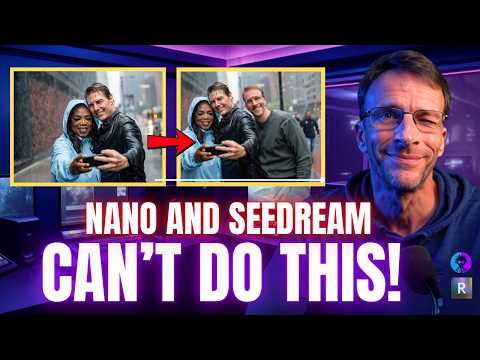 2:451:10Granular object editing in REVEThe video shows REVE's 'Edit' mode, which breaks an image into selectable components (faces, clothing) to apply specific changes like adding sunglasses or changing shirt colors.Bob Doyle Media
- 4:441:10Complex scene building and character insertionREVE is shown researching historical references for Elizabeth Taylor and 50s diners to create a scene, then inserting Big Bird into the background via chat.Bob Doyle Media
- 7:440:21Consistent character hairstyle and pose editingThe user demonstrates modifying a specific person's hairstyle and hand pose while maintaining facial consistency using REVE's image-to-image capabilities.Bob Doyle Media
- 10:280:24Manual object repositioning in AI imagesThe user demonstrates REVE's unique ability to select a generated object (like a character or a sign) and manually move or resize it on the canvas before re-rendering.Bob Doyle Media
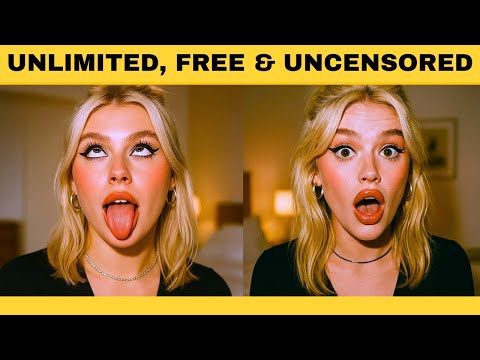 4:121:00Edit facial expressions and outfits with Reve AIThe user uploads an image to Reve AI and demonstrates modifying the subject's expression to a smile and adjusting outfit details while keeping the face shape and identity consistent.Emmanuel Adewuyi
 2:263:56Edit image elements and backgrounds in Reve AIThe presenter shows how to change background colors, add new elements like butterflies and wagons using image references, and modify clothing colors on a specific model.Creative AI Show
- 6:310:57Add objects to existing images with Reve AIThe user uploads a photo of a chef and uses a text prompt to successfully add meatballs to a plate of spaghetti within the image.Creative AI Show
 4:081:00Edit uploaded photos and facial expressions with ReveThe user uploads a custom photo to Reve and uses text prompts to modify the image, such as making the subject smile and changing the background while keeping the person's identity consistent.WealthWise
 5:560:45Using 'Instruct' to modify generated imagesThe creator uses the 'Instruct' tool to request specific changes, such as making text bigger and bolder, and shows how the model regenerates the image while maintaining the original composition.Philip Anders