Creating a post in Beehiiv

 Beehiiv
Demo summary
The creator uses the Beehiiv post editor to draft content and shows the toggle for publishing to email versus web.
Step-by-step
- Open the Beehiiv post editor
- Draft your content within the editor
- Click Next to proceed to publishing settings
- Deselect the web publishing option if you only want an email newsletter
Options
- Publish to both email and web simultaneously
- Publish to email only by deselecting web publishing
Watch out for
- Beehiiv includes a large footer in the email that cannot be removed
- The date is automatically included at the top of the email and cannot be removed
Highlights
“I actually really like the post editor it's very fast feels modern”
All demos from “I tried every FREE email marketing tool. This is the best”
- 4:380:33Designing an email in KitThe creator demonstrates the email editor in Kit to recreate a simple music newsletter.Kit· Design a newsletter / email (drag-and-drop editor)
- 5:200:31Using the Email Octopus editorA walkthrough of the Email Octopus email editor showing the design process for a basic campaign.Email Octopus· Design a newsletter / email (drag-and-drop editor)
- 9:020:41Creating a post in BeehiivCurrentThe creator uses the Beehiiv post editor to draft content and shows the toggle for publishing to email versus web.Beehiiv· Design a newsletter / email (drag-and-drop editor)
- 11:240:32Drafting an email in SubstackDemonstration of the Substack editor's limitations regarding link customization and the mandatory web-publishing workflow.Substack· Design a newsletter / email (drag-and-drop editor)
- 14:360:38Automated domain authentication in MailerLiteThe creator shows the automated tool MailerLite uses to verify a custom domain for better deliverability.MailerLite· Authenticate sending domain (SPF/DKIM/DMARC)
- 16:380:34Editing emails in Zoho CampaignsA demonstration of the Zoho Campaigns editor, highlighting bugs in font selection and link color settings.Zoho Campaigns· Design a newsletter / email (drag-and-drop editor)
- Watch “I tried every FREE email marketing tool. This is the best” →





Design a newsletter / email (drag-and-drop editor)
 0:490:26Customize Beehiiv branding and general infoShows how to navigate to general settings to update the newsletter name, description, and visual branding.Super Serious Guides
- 2:021:01Create and edit a Beehiiv newsletterDemonstrates using the 'Start Writing' editor to add titles, body content, images, buttons, and links.Super Serious Guides
 2:402:41Design a newsletter in BeehiivThe creator demonstrates how to start a blank draft, upload a thumbnail image, and customize the visual style including background colors and typography.Digital Tutorials 101
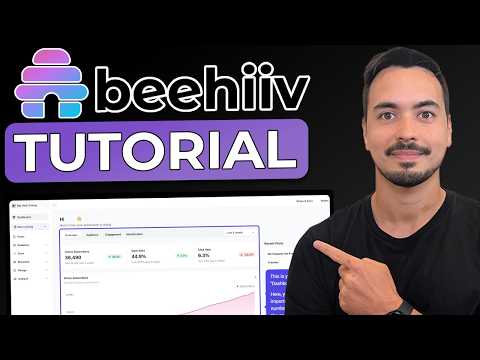 14:394:31Create and publish a newsletter postA step-by-step guide to using email templates, editing content blocks, setting up SEO metadata, and scheduling or publishing the post.Allan Borch - Dotcom Dollar
 3:323:59Design a newsletter using Beehiiv templatesDemonstrates selecting a newsletter template, editing text and images, adding redirect URLs, and preparing the post for publication.Simple Answers
- 9:020:41Creating a post in BeehiivCurrentThe creator uses the Beehiiv post editor to draft content and shows the toggle for publishing to email versus web.Steve Builds Websites
 1:154:53Using the beehiiv editor and slash commandsDemonstrates how to upload images, use stock libraries, format text, and use the slash command menu to add components and blocks to a post.beehiiv
- 8:441:27Previewing and sending test emailsWalks through the preview mode to see how posts look on different devices and how to send a simulated test email to team members.beehiiv
 55:182:51Customizing the newsletter editor and stylesDemonstrates the beehiiv editor, showing how to customize the visual style of the newsletter and manage the web-based archive pages.Greg Isenberg