Design a newsletter in Beehiiv

 Beehiiv
Demo summary
The creator demonstrates how to start a blank draft, upload a thumbnail image, and customize the visual style including background colors and typography.
Step-by-step
- Navigate to the Newsletter section and click Start Writing
- Select Blank Draft to start from scratch
- Upload a thumbnail image by selecting Upload a new image
- Switch to the Style tab to access design settings
- Adjust the Outside Background and Post Background colors
- Customize typography, spacing, and borders
- Modify advanced features like margins if necessary
- Click Next to proceed to audience and publishing settings
Options
- Choose a pre-made template instead of a blank draft
- Publish to Email and Web or just one of the two
Tips
- Use a template to save time if you don't want to design from scratch
- Concur with the recommended image size for better visual results
- Choose a clean, readable style for your text
- Ensure the text color contrasts well against your chosen background colors
Highlights
“absolutely beginnerfriendly”
All demos from “Beehiiv Tutorial 2026 — How to Start a Newsletter and Make Money”
- 2:402:41Design a newsletter in BeehiivCurrentThe creator demonstrates how to start a blank draft, upload a thumbnail image, and customize the visual style including background colors and typography.Beehiiv· Design a newsletter / email (drag-and-drop editor)
- 5:211:51Configure and schedule a Beehiiv postA walkthrough of setting the subject line, preview text, SEO meta-titles, and scheduling the post for publication.Beehiiv· Send a broadcast campaign
- 8:020:53Monetize with Beehiiv BoostsThe video shows the Beehiiv Boosts interface where users can earn money by recommending other newsletters to their subscribers.Beehiiv· Set up a referral program
- Watch “Beehiiv Tutorial 2026 — How to Start a Newsletter and Make Money” →
Design a newsletter / email (drag-and-drop editor)
 0:490:26Customize Beehiiv branding and general infoShows how to navigate to general settings to update the newsletter name, description, and visual branding.Super Serious Guides
- 2:021:01Create and edit a Beehiiv newsletterDemonstrates using the 'Start Writing' editor to add titles, body content, images, buttons, and links.Super Serious Guides
- 2:402:41Design a newsletter in BeehiivCurrentThe creator demonstrates how to start a blank draft, upload a thumbnail image, and customize the visual style including background colors and typography.Digital Tutorials 101
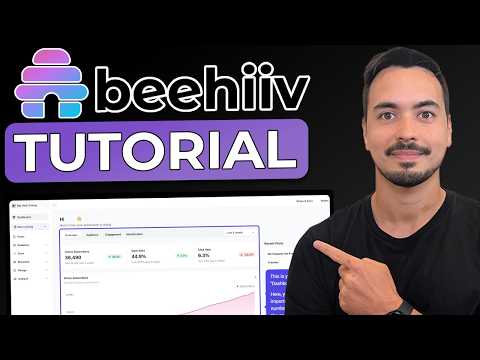 14:394:31Create and publish a newsletter postA step-by-step guide to using email templates, editing content blocks, setting up SEO metadata, and scheduling or publishing the post.Allan Borch - Dotcom Dollar
 3:323:59Design a newsletter using Beehiiv templatesDemonstrates selecting a newsletter template, editing text and images, adding redirect URLs, and preparing the post for publication.Simple Answers
 9:020:41Creating a post in BeehiivThe creator uses the Beehiiv post editor to draft content and shows the toggle for publishing to email versus web.Steve Builds Websites
 1:154:53Using the beehiiv editor and slash commandsDemonstrates how to upload images, use stock libraries, format text, and use the slash command menu to add components and blocks to a post.beehiiv
- 8:441:27Previewing and sending test emailsWalks through the preview mode to see how posts look on different devices and how to send a simulated test email to team members.beehiiv
 55:182:51Customizing the newsletter editor and stylesDemonstrates the beehiiv editor, showing how to customize the visual style of the newsletter and manage the web-based archive pages.Greg Isenberg