VidGuy: Create automated video workflows with AI

 VidGuy
Demo summary
The creator uses the VidGuy companion to build a multi-scene video workflow by describing a character cooking dinner, which the AI then outlines and connects into a repeatable system.
Step-by-step
- Open the VidGuy companion
- Enter a prompt describing the desired video scenes and character actions
- Wait for the AI to generate the workflow outline and connect the systems
- Close the companion window
- Click Run All to start the generation
Watch out for
- A character sheet is required for the AI to reference specific characters in the workflow
Tips
- Instruct the AI to split the scenes and show all major actions for a more detailed output
- Use the companion to create content with high potential for viral short-form success
Highlights
“I know that looked super complicated, but um it's actually very easy to do because I did not create any of that”
All demos from “The Secret AI Workflow for Scaling 100 UGC Ads Daily (2026 Strategy)”
- 3:421:13Generate AI UGC video from scratch in VidGuyThe user demonstrates the step-by-step process of creating a video by selecting an actor from the library, choosing a 'brain raw' format, and using AI to generate a 30-second script and captions.VidGuy· AI UGC Video Generator
- 4:590:53Edit AI video using natural language commandsThe demo shows how to use the VidGuy companion to perform edits, such as trimming specific seconds from a video, by simply typing a request instead of manual timeline editing.VidGuy· AI Video Editor
- 6:231:28Create automated video workflows with AICurrentThe creator uses the VidGuy companion to build a multi-scene video workflow by describing a character cooking dinner, which the AI then outlines and connects into a repeatable system.VidGuy· Script To Video AI Generator
- Watch “The Secret AI Workflow for Scaling 100 UGC Ads Daily (2026 Strategy)” →
Script To Video AI Generator
 3:560:51Generating a multi-scene video with VidGuy CompanionThe creator shows the workflow section of VidGuy, using a chat companion to generate a multi-scene sequence of a cat and explaining how to run the render process.VidGuy
- 5:490:38Quick-creating a 30-second AI script and videoThe user demonstrates the 'Quick Create' feature in VidGuy by selecting an actor, choosing a video format, and using a prompt to generate a 30-second script.VidGuy
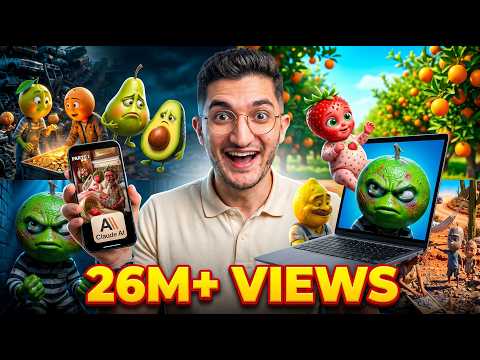 1:390:46Create fruit drama animations with VidGuyThe user navigates to the VidGuy interface (referred to as Pictory.ai in transcript), selects the 'fruit drama' format, pastes the script from Claude, and initiates the video generation process.VidGuy
- 6:231:28Create automated video workflows with AICurrentThe creator uses the VidGuy companion to build a multi-scene video workflow by describing a character cooking dinner, which the AI then outlines and connects into a repeatable system.VidGuy
 2:500:40Generate a 30-second AI video script and clipThe narrator walks through the 'Quick Create' section, selecting a format and actor, and then uses a prompt to automatically generate a 30-second script for a video clip.VidGuy