VidGuy: Generate a 30-second AI video script and clip

 VidGuy
Demo summary
The narrator walks through the 'Quick Create' section, selecting a format and actor, and then uses a prompt to automatically generate a 30-second script for a video clip.
Step-by-step
- Navigate to the formats section and select a video style
- Select an existing actor or create a new one
- Upload your demo clip
- Enter a prompt or write a script manually
- Click Refine to automatically generate the script based on your preselected duration
- Click Generate to create the video
Options
- Select from viral demo formats or 'brain rot' video styles
- Create your own custom actor instead of selecting a preset one
- Write a full script manually or use a prompt to generate one
Tips
- Use the 'Refine' button to automatically match your script length to your preselected video duration
Highlights
“and that's my job done”
All demos from “Stop Using Higgsfield - Use THIS Instead!”
- 2:220:17Replicate UGC videos in VidGuyThe user demonstrates how to select an existing UGC video or product commercial, click replicate, and add reference images to generate a new video using the Creative Studio.VidGuy· AI UGC Video Generator
- 2:500:40Generate a 30-second AI video script and clipCurrentThe narrator walks through the 'Quick Create' section, selecting a format and actor, and then uses a prompt to automatically generate a 30-second script for a video clip.VidGuy· Script To Video AI Generator
- Watch “Stop Using Higgsfield - Use THIS Instead!” →
Script To Video AI Generator
 3:560:51Generating a multi-scene video with VidGuy CompanionThe creator shows the workflow section of VidGuy, using a chat companion to generate a multi-scene sequence of a cat and explaining how to run the render process.VidGuy
- 5:490:38Quick-creating a 30-second AI script and videoThe user demonstrates the 'Quick Create' feature in VidGuy by selecting an actor, choosing a video format, and using a prompt to generate a 30-second script.VidGuy
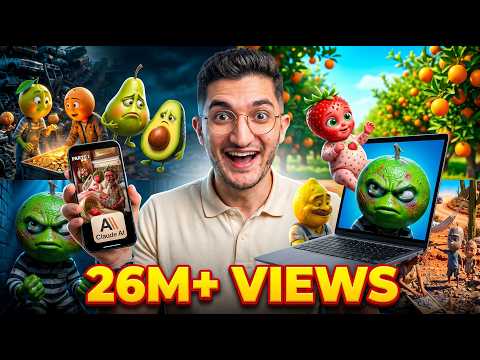 1:390:46Create fruit drama animations with VidGuyThe user navigates to the VidGuy interface (referred to as Pictory.ai in transcript), selects the 'fruit drama' format, pastes the script from Claude, and initiates the video generation process.VidGuy
 6:231:28Create automated video workflows with AIThe creator uses the VidGuy companion to build a multi-scene video workflow by describing a character cooking dinner, which the AI then outlines and connects into a repeatable system.VidGuy
- 2:500:40Generate a 30-second AI video script and clipCurrentThe narrator walks through the 'Quick Create' section, selecting a format and actor, and then uses a prompt to automatically generate a 30-second script for a video clip.VidGuy