ElevenLabs: Translate and dub video content

 ElevenLabs
Demo summary
The narrator demonstrates the Dubbing tool by pasting a YouTube link and showing how to translate the audio into Chinese and Hindi while maintaining the original speaker's characteristics.
Step-by-step
- Click on Create a Dub
- Select the target language (e.g., Chinese, Hindi, or English)
- Paste the YouTube link for the content you want to dub
- Specify the number of speakers and the time range for the portion you want to dub
- Click Create to process the dubbing project
- Open the dubbing studio to review and edit individual speaker tracks
- Click Transcribe to view the original text and the translated version
- Add a dubbed speaker track and click Generate to create the audio
- Export the final dubbed version
Options
- Select from various target languages including Chinese, Hindi, French, and Spanish
- Manually edit or delete specific speaker tracks
- Add stop dubbed speaker tracks to manage background music or specific segments
Watch out for
- Complex languages like Chinese may not be perfectly accurate and might require regeneration
Tips
- Use the dubbing system for European languages like French and Spanish as they tend to yield higher quality results
- Regenerate the audio if the initial translation or pronunciation sounds off
- Test the tool with a short portion of the video first to verify the quality before processing the entire file
Highlights
“it's pretty good, I would say, especially with the European language like French and Spanish. I would recommend this.”
All demos from “Master ElevenLabs in 2 Hours: Complete Voice AI Beginner's Guide for 2026”
- 11:110:52Generate sound effects from text promptsThe narrator uses the Sound Effects tool to generate a 'lion in the jungle' audio clip by entering a text description and adjusting the prompt influence slider.ElevenLabs· AI Sound Effect Generator
- 12:432:29Compose AI music with ElevenLabs MusicThe user demonstrates generating an energetic EDM track by providing a text prompt and then shows how to refine the output by removing specific tags like 'deep voice' from the generated style.ElevenLabs· AI Music Generator
- 15:491:36Generate AI video from image and text promptsThe narrator demonstrates the video creation tool by uploading a start frame and providing a detailed cinematic prompt to generate a 4-second real estate walkthrough video.ElevenLabs· AI Short Video Generator
- 19:481:10Use ElevenLabs Templates for image processingThe narrator demonstrates various 'plug and play' templates including an anime character generator and an image upscaler to improve the quality of blurry photos.ElevenLabs· AI Image Generator
- 24:183:34Translate and dub video contentCurrentThe narrator demonstrates the Dubbing tool by pasting a YouTube link and showing how to translate the audio into Chinese and Hindi while maintaining the original speaker's characteristics.ElevenLabs· AI Video Dubbing
- Watch “Master ElevenLabs in 2 Hours: Complete Voice AI Beginner's Guide for 2026” →
AI Video Dubbing
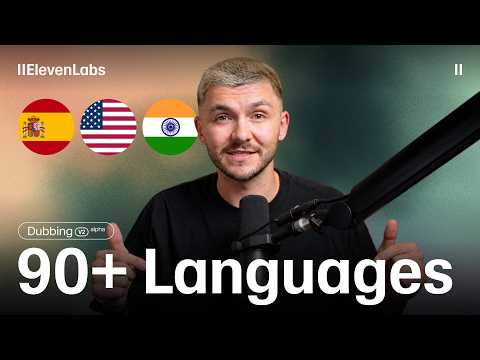 0:362:53Translate video with ElevenLabs Dubbing v2The narrator demonstrates how to upload a video file to ElevenLabs, select target languages like Spanish and French, and adjust the 'speaker similarity' slider to balance naturalness with voice cloning. He then plays back the generated results to show how the AI maintains the original performance and timing.ElevenLabs
- 24:183:34Translate and dub video contentCurrentThe narrator demonstrates the Dubbing tool by pasting a YouTube link and showing how to translate the audio into Chinese and Hindi while maintaining the original speaker's characteristics.Eddie Chen | AI Automation
 32:550:59Dubbing a video into SpanishThe narrator demonstrates the 'Dubbing' tool by uploading an English video clip and selecting Spanish as the target language to generate a translated version.Artturi Jalli
 7:290:51Multilingual Video DubbingThe narrator demonstrates the dubbing tool by uploading an English video and generating Spanish and French versions with synchronized audio and natural cadence.AI Master
 4:450:20Accessing the ElevenLabs Dubbing toolThe narrator shows the navigation within the UI to move from the voice changer area to the automated dubbing and translation section.Greg Preece