ElevenLabs: Dubbing a video into Spanish

 ElevenLabs
Demo summary
The narrator demonstrates the 'Dubbing' tool by uploading an English video clip and selecting Spanish as the target language to generate a translated version.
Step-by-step
- Navigate to the Dubbing tool
- Enter a name for the project
- Select the source language and the target language
- Upload the video file
- Click Create to start the upload and processing
Options
- Enable adjustable dubbings to change word alignments
- Create a project for customizations
- Reduce character usage to save credits and optimize the model
Watch out for
- Processing time depends on the length of the video and may take several minutes
Highlights
“this is self-explanatory”
All demos from “Elevenlabs Tutorial 2026: Master This AI Voice Generator in 36 minutes!”
- 25:011:17Generate AI sound effectsThe user demonstrates the ElevenLabs sound effects tool by prompting for 'low thunder rumbles' and adjusting the duration and prompt influence settings.ElevenLabs· AI Sound Effect Generator
- 29:401:52Generate a song with AI MusicThe narrator uses the ElevenLabs music generator to create a 'Christmas trap beat' with auto-generated lyrics and plays the resulting audio track.ElevenLabs· AI Song Generator
- 32:550:59Dubbing a video into SpanishCurrentThe narrator demonstrates the 'Dubbing' tool by uploading an English video clip and selecting Spanish as the target language to generate a translated version.ElevenLabs· AI Video Dubbing
- Watch “Elevenlabs Tutorial 2026: Master This AI Voice Generator in 36 minutes!” →
AI Video Dubbing
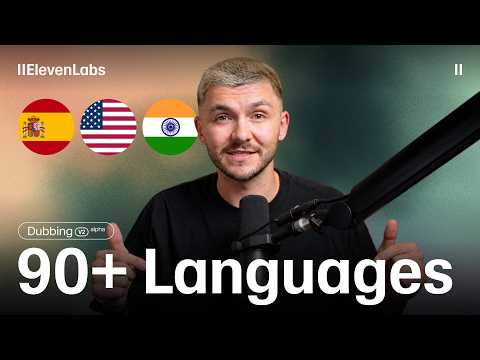 0:362:53Translate video with ElevenLabs Dubbing v2The narrator demonstrates how to upload a video file to ElevenLabs, select target languages like Spanish and French, and adjust the 'speaker similarity' slider to balance naturalness with voice cloning. He then plays back the generated results to show how the AI maintains the original performance and timing.ElevenLabs
 24:183:34Translate and dub video contentThe narrator demonstrates the Dubbing tool by pasting a YouTube link and showing how to translate the audio into Chinese and Hindi while maintaining the original speaker's characteristics.Eddie Chen | AI Automation
- 32:550:59Dubbing a video into SpanishCurrentThe narrator demonstrates the 'Dubbing' tool by uploading an English video clip and selecting Spanish as the target language to generate a translated version.Artturi Jalli
 7:290:51Multilingual Video DubbingThe narrator demonstrates the dubbing tool by uploading an English video and generating Spanish and French versions with synchronized audio and natural cadence.AI Master
 4:450:20Accessing the ElevenLabs Dubbing toolThe narrator shows the navigation within the UI to move from the voice changer area to the automated dubbing and translation section.Greg Preece