ElevenLabs: Multilingual Video Dubbing

 ElevenLabs
Demo summary
The narrator demonstrates the dubbing tool by uploading an English video and generating Spanish and French versions with synchronized audio and natural cadence.
Step-by-step
- Upload a video with English narration to the platform
- Select your target languages (e.g., Spanish, French, Japanese, German)
- Enable lip sync adjustments if desired
- Generate the dubbed versions
Options
- Lip sync adjustments
- Multiple target languages including Spanish, French, Japanese, and German
Highlights
“The voice quality was solid. Natural cadence, appropriate emotional tone, no robotic flatness.”
All demos from “How to Use ElevenLabs: Create Ultra Realistic AI Voices (Text-to-Speech)”
- 4:230:59Generating Original AI Music TracksThe user demonstrates how to generate background music by typing descriptive prompts like 'soft tech, ambient' and showing the resulting audio tracks generated by ElevenLabs.ElevenLabs· AI Music Generator
- 6:340:43Cleaning Audio with Voice IsolatorThe demo shows the 'Voice Isolator' tool in action, taking a noisy coffee shop recording and stripping away background chatter to leave a clear voice signal.ElevenLabs· AI Audio Enhancer & Noise Reduction
- 7:290:51Multilingual Video DubbingCurrentThe narrator demonstrates the dubbing tool by uploading an English video and generating Spanish and French versions with synchronized audio and natural cadence.ElevenLabs· AI Video Dubbing
- Watch “How to Use ElevenLabs: Create Ultra Realistic AI Voices (Text-to-Speech)” →
AI Video Dubbing
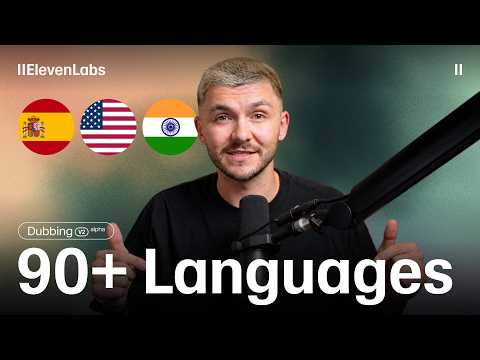 0:362:53Translate video with ElevenLabs Dubbing v2The narrator demonstrates how to upload a video file to ElevenLabs, select target languages like Spanish and French, and adjust the 'speaker similarity' slider to balance naturalness with voice cloning. He then plays back the generated results to show how the AI maintains the original performance and timing.ElevenLabs
 24:183:34Translate and dub video contentThe narrator demonstrates the Dubbing tool by pasting a YouTube link and showing how to translate the audio into Chinese and Hindi while maintaining the original speaker's characteristics.Eddie Chen | AI Automation
 32:550:59Dubbing a video into SpanishThe narrator demonstrates the 'Dubbing' tool by uploading an English video clip and selecting Spanish as the target language to generate a translated version.Artturi Jalli
- 7:290:51Multilingual Video DubbingCurrentThe narrator demonstrates the dubbing tool by uploading an English video and generating Spanish and French versions with synchronized audio and natural cadence.AI Master
 4:450:20Accessing the ElevenLabs Dubbing toolThe narrator shows the navigation within the UI to move from the voice changer area to the automated dubbing and translation section.Greg Preece