Generate AI video with Google Gemini Veo

 Gemini
Demo summary
The user demonstrates the output of Google Gemini Veo using the same owl prompt to compare its zooming capabilities and realism against Microsoft's tool.
All demos from “How to use Microsoft Bing Video Creator - Demo - Vs Google Gemini Veo - Surprising Results!”
- 1:241:25Accessing and configuring Bing AI Video CreatorThe user demonstrates how to find the Video Creator tool within the Bing mobile app's icon grid and explores settings like aspect ratio and generation speed.Bing Video Creator· AI Video Generator
- 2:571:17Generate underwater video with Bing AI Video CreatorA prompt for a red shark chasing a school of fish is entered into the Bing app, and the resulting 5-second realistic video generation is shown.Bing Video Creator· Text to Video
- 4:260:44Generate Pixar-style animation with Bing AI Video CreatorThe user demonstrates generating a Pixar-style cartoon of a man in a field with a camera zoom using the Bing AI Video Creator tool.Bing Video Creator· AI Cartoon Video Generator
- 5:211:13Comparing Bing AI Video Creator owl generationA detailed prompt for an owl in a forest is used to demonstrate Bing's video generation capabilities and its adherence to camera movement instructions.Bing Video Creator· Text to Video
- 6:340:55Generate AI video with Google Gemini VeoCurrentThe user demonstrates the output of Google Gemini Veo using the same owl prompt to compare its zooming capabilities and realism against Microsoft's tool.Gemini· Text to Video
- Watch “How to use Microsoft Bing Video Creator - Demo - Vs Google Gemini Veo - Surprising Results!” →

Text to Video
 1:581:20Generate cinematic video with Google Veo 3The video shows how to activate the video tool in Gemini and enter a detailed prompt to generate a slow-motion shot of chocolate chip cookies using the Veo 3 model.@KevinStratvert
- 4:081:13Refine video prompts using Gemini AIThe user demonstrates asking Gemini to write a more descriptive, cinematic prompt for a cookie-baking scene and then using that output to generate a better video.@KevinStratvert
 13:380:25Dolly shot camera instructions in Google Veo 3.1A demonstration of using specific camera movement keywords like 'wide angle dolly in' to control the output of Google Veo 3.1.Youri van Hofwegen
 3:180:19Generate video from custom text promptThe user demonstrates Gemini Omni's text-to-video capability by prompting it to show his avatar in a suit eating spaghetti at a restaurant.Paul J Lipsky
 8:041:07Create skydiving video with Google Veo 3.1 via GeminiThe video shows the process of inputting a complex prompt into Gemini to generate an 8-second clip of a grandmother skydiving into a Super Bowl stadium using the Veo 3.1 model.AI Master
 0:580:26Accessing Google Veo 3 in GeminiThe user demonstrates how to navigate to the video generation tab within the Gemini Advanced interface to access the Google Veo 3 model.@SocialtyPro
 0:030:30Generate cinematic video with Veo 3 in GeminiThe video demonstrates high-quality cinematic video generation, including a close-up of a person and a stylized landscape, using the Veo 3 model integrated into the Gemini app.Google
 2:201:02Generate video with audio in Google Veo 3The user demonstrates entering a text prompt into the Gemini interface to generate an 8-second cinematic video of a cookie including a specific narrated voiceover and sound effects using Google's Veo 3 model.@KevinStratvert
 3:340:54Text-to-video generation in Google GeminiThe creator uses Google Veo 3 within the Gemini interface to generate an 8-second video of a scientist speaking specific lines from a text prompt.Tim Harris AI
 1:211:01Generate AI video from text with Google Vids and VeoThe creator demonstrates how to use the Veo 3.1 integration within Google Vids to generate a video of a polar bear from a text prompt and insert it into the timeline.Paul J Lipsky
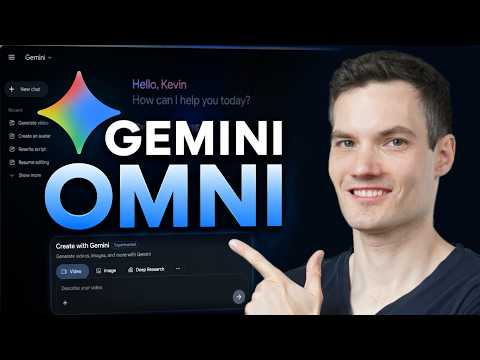 0:461:08Generate video from text with Gemini OmniThe user demonstrates how to navigate to the video icon in Gemini and enter a text prompt to generate a cinematic video of a storefront using the Omni model.@KevinStratvert
 11:560:15Successful multi-character dialogue generation in Google Veo 3Two successful generations from Google Veo 3 are demonstrated where the model correctly follows the prompt for a man and woman to exchange dialogue at a rainy bus stop with synchronized audio.MisterQuigleyAI