GoEnhance AI: One-click face swap in video

 GoEnhance AI
Demo summary
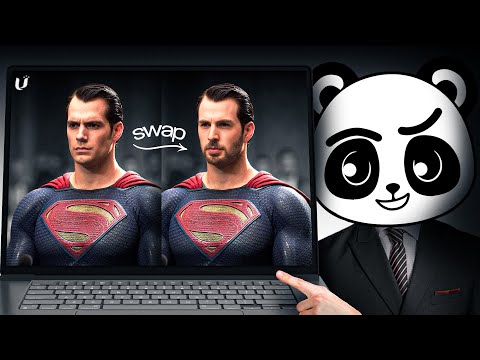
A demonstration of the face swap tool where a famous actor's headshot is seamlessly applied to a goofy video clip.
Step-by-step
- Upload a video clip to the face swap tool
- Upload a headshot of the person you want to swap in
- Click the face swap button to generate the result
- Download the final video
Options
- Keep creations private to prevent them from appearing on the public explore page
Highlights
“It's surprisingly seamless. No manual masking or editing required”
All demos from “I Tested GoEnhance AI: The All-in-One Tool for Video, Images, and More”
- 0:510:43Video-to-video style transfer with GoEnhance AIThe creator demonstrates how to transform a skateboarding video into a vibrant anime style using GoEnhance AI's video-to-video feature.GoEnhance AI· Video to Video
- 1:470:41AI image generation using Flux on GoEnhance AIThe video shows the process of generating a digital art image of an astronaut in a neon city using the Flux model within the GoEnhance interface.GoEnhance AI· Text to Image
- 2:360:17One-click face swap in videoCurrentA demonstration of the face swap tool where a famous actor's headshot is seamlessly applied to a goofy video clip.GoEnhance AI· AI Face Swap Video
- 3:140:16Animate static photos into dancing charactersThe video demonstrates the character animation feature by uploading a photo and applying a dancing motion preset.GoEnhance AI· Image to Video
- Watch “I Tested GoEnhance AI: The All-in-One Tool for Video, Images, and More” →
AI Face Swap Video
 3:320:49Video Face Swap with GoEnhance AIThe tool performs a face swap by mapping a still image of Tom Cruise onto a character in a scene from Titanic, blending lighting and movement.Artificial Quotient
- 2:360:17One-click face swap in videoCurrentA demonstration of the face swap tool where a famous actor's headshot is seamlessly applied to a goofy video clip.AI With TechZnap