AI Face Swap Video
Swap one person's face onto another in a video.
AI Face Swap Video Tutorials

 Youri van Hofwegen

 🔥 TOP Digital Products 🔥

 AI ZenStudios

 Tech Ai
 Luca
Luca 
 AI ZenStudios

 The AI Hustle

 AiMinds
 Jelly AI
 Techvid Ai
 Eigi and AI
 Techvid Ai

 Life Tech with Nirmala

 Everyday AI with Jayne
 Barthélémy Nobili
 AI With TechZnap
 Create With AI (Zero to AI Hero)
 AI Zayan
 Thomas Creates

 AI BORDER
 Digit Wise
 HitPaw Edimakor
 App Insider Pro
 Artificial Quotient

 Teach Me Friend
 AI LedgerX
 Atomic Gains
 YOUTUBE THINK
 Tech Ai
 Tech Israil
 AI BORDER
 AI BORDER
 Supawork official
 Artificicy AI
 DToolz
 AI With TechZnap
 Supawork official
 MIMICPC
 Bob Doyle Media
 Theoretically Media
 LoharTech Bangla

 Alex Villabon
 The FAIK Files
AI Face Swap Video Prompts
AI Face Swap Video Tools
AI-powered face swapping for photos, videos, and GIFs without watermarks.
All-in-one AI workspace for creation, learning, and professional productivity.
Next-generation face manipulation and high-fidelity face swapping platform.
Generative AI platform for personalized visual marketing and high-fidelity video production.
An all-in-one AI-powered video editor for effortless professional content creation.
Create cinematic AI videos and images with advanced character consistency.
A comprehensive AI creative suite for video, image, and audio generation.
Create high-converting video ads using realistic AI actors and avatars.
All-in-one AI video generator powered by leading generative models.
Free online AI tool for realistic face swaps in photos and videos.
A comprehensive AI-powered platform for original content creation and face swapping.
Free live streaming studio with multistreaming and webcam splitting capabilities.
AI Face Swap Video Industries
What is AI Face Swapping for Video?
AI face swapping is the process of replacing one person's face in a video with another while maintaining the original's expressions, head movements, and lighting. This is commonly used for personalizing advertisements, creating character variations for brand identities, or making memes. Whether you are looking for a face swap video free 30 seconds option or a tool for longer content, the workflow remains similar across most platforms.
The General Face Swap Workflow
To create a high-quality swap, follow these standard steps used by creators in our demo database:
- Select Source Footage: Choose a target video (the 'base') where the face is clearly visible and not obscured by dark angles or fast-moving objects.
- Upload a Reference Image: Provide a clear, front-facing JPG or PNG of the face you want to insert. Ensure the lighting matches the base footage as closely as possible.
- Configure Settings: Many tools offer an 'HD Enhance' or 'Smart Mode' for face masking. Use these to ensure the edges of the face blend naturally.
- Generate and Refine: Process the video. If the movement looks jittery, creators often use frame blending or add a slight grain in post-processing to help the swap integrate.
Best AI Face Swap Video Tools
Based on our first-party data of real-world demonstrations, these are the most frequently used tools for this task:
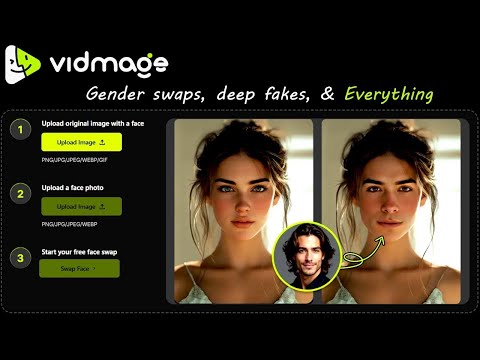
- VidMage (16 demos): A popular choice for creators needing consistent results across video and photos.
- Supawork AI (11 demos): Frequently used for its ease of use and quick processing times.
- Facefusion (7 demos): A powerful open-source option favored by those who want advanced control, including lip-syncing and live-cam features.
- AKOOL (4 demos): Often demonstrated for high-end commercial and marketing face swaps.
Tips for Realistic Results
According to tutorial insights, the best way to avoid a 'fake' look is to use cinematic lighting in your base footage. If you are swapping multiple faces, use features like 'Remix Step' to layer swaps sequentially rather than trying to do them all at once. Always check that the facial features in your target image are well-lit and not at an extreme angle. For sharper results, always toggle the HD switch before hitting generate, even if it costs extra credits.
Prompt and Setting Advice
When using image-to-video prompts, be specific about the positioning. A successful real-world prompt used in our clips is: *"Replace the person at the desk with myself wearing the same clothing as the reference image sitting in the same position."* This helps the AI maintain consistency in the environment.
Frequently asked questions
Which AI is best for face swap in video?
Based on our demo data, VidMage and Supawork AI are the most frequently demonstrated for reliable video swaps. For those seeking open-source power, Facefusion 3.0 is highly recommended for its advanced motion control and quality.
Can I do an AI face swap video online free without a sign up?
Some tools like Magic Hour allow for limited initial tries without an account. However, most high-quality tools like AKOOL or VidMage require a sign-up to manage credits and provide access to HD enhancement features.
How can I do a long video face swap with AI?
Most free tiers limit uploads to 15 seconds or 100MB. For long videos (up to 300 seconds or 1,000MB), you typically need a paid plan. Tools like Facefusion can handle longer durations if run locally on your hardware.
Is there a face swap video free 30 seconds option?
Yes, many tools provide free trial coins that cover 15 to 30 seconds of video. Be aware that the free versions often include watermarks and may limit you to standard definition rather than 4K.
How do I make a quality AI face swap video?
To ensure quality, use a clear front-facing source image and turn on 'HD Enhance' settings. Tutorial data suggests adding a small amount of grain or blur in post-production to help blend the edges of the swapped face into the original scene.
What is the most realistic AI face swap?
Realism depends on the 'Face Mask Mode.' Using 'Smart Mode' and matching the lighting of your source photo to the video footage provides the most natural results. Version 1 and Version 3.0 motion controls are currently noted for high consistency.
Can ChatGPT do face swap?
No, ChatGPT cannot directly perform video face swaps. You must use specialized AI video tools like VidMage, Supawork, or Facefusion which are designed to track and map facial features across video frames.