Generate AI images with DomoAI

 DomoAI
Demo summary
The user demonstrates how to use DomoAI's text-to-image feature, selecting between Fusion and Anime models to generate four unique image variations from a single prompt.
Step-by-step
- Navigate to the image section and select the text to image option
- Select an AI model such as Fusion or Anime
- Enter your prompt into the text field
- Choose your preferred aspect ratio
- Click the generate button
- Review the four generated image variations and select your favorite
Options
- Toggle on Relax Mode to generate images for free
- Choose between Fusion models or Anime models with different styles
Watch out for
- Relax Mode takes longer to process images than standard generation
Tips
- Use ChatGPT to help generate your image prompts
All demos from “FREE & UNLIMITED AI Video Generator - Made AI Movie Using DomoAI”
- 1:140:57Generate AI images with DomoAICurrentThe user demonstrates how to use DomoAI's text-to-image feature, selecting between Fusion and Anime models to generate four unique image variations from a single prompt.DomoAI· Text to Image
- 2:110:30Combine multiple images with AI EditingDomoAI's AI editing feature is shown combining three separate uploaded images into a single seamless creation based on a descriptive prompt.DomoAI· AI Image Combiner
- 2:410:51Convert image to video in DomoAIThe video demonstrates uploading an image to DomoAI and applying a motion prompt to generate a cinematic video clip.DomoAI· Image to Video
- 3:320:31Animate multiple frames with Frame to VideoThe user demonstrates the 'multiple frames' feature in DomoAI, uploading three distinct images to create a smooth, dynamic video sequence.DomoAI· Image to Video
- 4:300:38Create a talking avatar with DomoAIThe demonstration shows uploading a channel avatar and a voice recording to DomoAI to generate a lip-synced talking head video.DomoAI· AI Avatar Video Generator
- Watch “FREE & UNLIMITED AI Video Generator - Made AI Movie Using DomoAI” →
Text to Image
 1:181:24Generate an anime character with DomoAIThe user demonstrates how to generate a character image using the 'Enhanced Anime' model in DomoAI, including prompt optimization and setting the aspect ratio.Dan - Smart Tutorials
- 1:140:57Generate AI images with DomoAICurrentThe user demonstrates how to use DomoAI's text-to-image feature, selecting between Fusion and Anime models to generate four unique image variations from a single prompt.Version 2.0
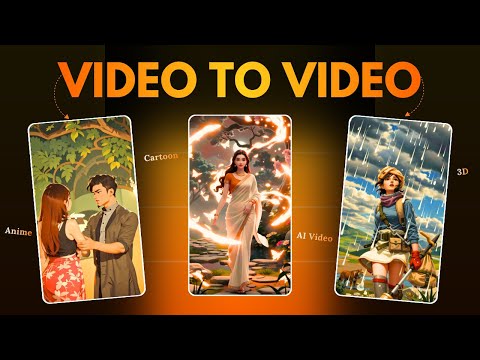 1:491:26Generate high-quality images with Domo AIThe user demonstrates how to select different image models like Realistic Anime or 3D Cartoon and generate cinematic images using text prompts in Domo AI.Hindi AI Gyaan