DomoAI: Generate high-quality images with Domo AI
 DomoAI
Demo summary
The user demonstrates how to select different image models like Realistic Anime or 3D Cartoon and generate cinematic images using text prompts in Domo AI.
Step-by-step
- Click on AI Image to go to the generation page
- Select an image model from the left side menu
- Paste your text prompt into the prompt box
- Select your preferred aspect ratio
- Click the Generate button
- Download your preferred image from the four generated options
Options
- Choose from models like Realistic Anime, Horror, 3D Cartoon, or Realistic CG
- Enable Relax Mode to generate images without using credits
- Upscale images without consuming credits
Tips
- Use ChatGPT to write your image prompts for better results
- Try the Realistic CG style for high-quality skin textures
- Use Relax Mode if you want to create unlimited images or videos for free
Highlights
“fully cinematic images and looking like they were clicked with a professional camera”
All demos from “DomoAl 🔥 How To Use Domo AI Video Generator | Cartoon video kaise banaye?”
- 1:491:26Generate high-quality images with Domo AICurrentThe user demonstrates how to select different image models like Realistic Anime or 3D Cartoon and generate cinematic images using text prompts in Domo AI.DomoAI· Text to Image
- 3:230:35Convert images to video using Domo AIThe video shows the process of uploading an image and using a prompt to generate a 2-3 minute video clip using Domo AI's image-to-video feature.DomoAI· Image to Video
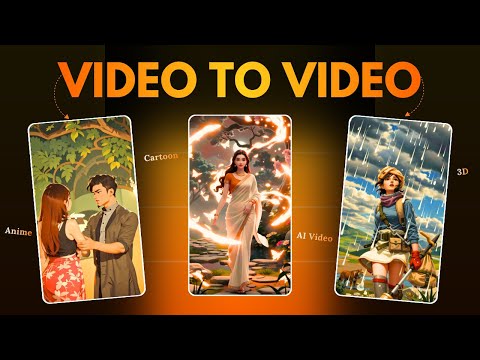
- 4:080:48Replace video characters with Domo AIA demonstration of the 'Character to Video' feature where a reference video and a character image (a bear) are used to replace the original subject in a scene.DomoAI· Video to Video
- 4:560:31Change video style with Domo AIThe user shows how to upload an existing video and apply a new visual style, such as 2.5D, to transform the footage using Domo AI.DomoAI· Video to Video
- 5:410:29Create a talking avatar in Domo AIThe demonstration shows uploading an image and an audio file to Domo AI to generate a realistic talking avatar with expressive movements.DomoAI· AI Avatar Video Generator
- Watch “DomoAl 🔥 How To Use Domo AI Video Generator | Cartoon video kaise banaye?” →
Text to Image
 1:181:24Generate an anime character with DomoAIThe user demonstrates how to generate a character image using the 'Enhanced Anime' model in DomoAI, including prompt optimization and setting the aspect ratio.Dan - Smart Tutorials
 1:140:57Generate AI images with DomoAIThe user demonstrates how to use DomoAI's text-to-image feature, selecting between Fusion and Anime models to generate four unique image variations from a single prompt.Version 2.0
- 1:491:26Generate high-quality images with Domo AICurrentThe user demonstrates how to select different image models like Realistic Anime or 3D Cartoon and generate cinematic images using text prompts in Domo AI.Hindi AI Gyaan