Generate slime face images with HitPaw FotorPea
 HitPaw FotorPea
Demo summary
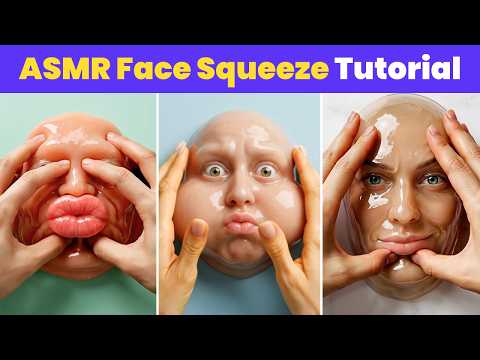
The video shows the process of using HitPaw FotorPea's AI generator and the Nano Banana 2 model to convert text prompts into slime-themed facial images.
Step-by-step
- Open HitPaw FotorPea and click on AI generator
- Select Text to Image
- Copy and paste your image prompts into the prompts area
- Choose the Nano Banana 2 model
- Click on Generate
- Repeat the generation process until you find an image you like
- Save the final image
Tips
- Try generating multiple times to find the best result
All demos from “How to Make Face Squeeze ASMR Videos| Face AI ASMR Video Tutorial | New AI Niche”
- 0:420:25Generate slime face images with HitPaw FotorPeaCurrentThe video shows the process of using HitPaw FotorPea's AI generator and the Nano Banana 2 model to convert text prompts into slime-themed facial images.HitPaw FotorPea· Text to Image
- 1:070:32Animate images into ASMR videos with HitPaw VikPeaThe creator demonstrates using HitPaw VikPea's AI video generator with the Kling or Veo 3 models to animate a static image into a face-squeezing ASMR video.HitPaw VikPea· Image to Video
- Watch “How to Make Face Squeeze ASMR Videos| Face AI ASMR Video Tutorial | New AI Niche” →
Text to Image
- 0:420:25Generate slime face images with HitPaw FotorPeaCurrentThe video shows the process of using HitPaw FotorPea's AI generator and the Nano Banana 2 model to convert text prompts into slime-themed facial images.HitPaw
 6:031:12Generate AI images using Flux.1 in HitPaw FotorPeaA walkthrough of the AI image generator feature where the user selects the Flux.1 model, sets an aspect ratio, and generates four images from a text prompt.DESIGN WITH TOSHI