DZine AI: Multi-character lip-sync and timeline editing

 DZine AI
Demo summary
The user demonstrates how to arrange multiple audio clips on a timeline to prevent characters from talking over each other and then generates the final lip-synced video.
Step-by-step
- Drag the audio clips within the timeline to play one after another
- Arrange the dialogue so the first speaker's audio starts the clip and the second speaker's audio follows
- Click the play button to preview and verify the audio alignment
- Click the generate button to apply the lip sync to the video
- Monitor the progress in the upper right corner
- Click on the completed file to play back the result
Watch out for
- Audio clips are initially lined up on top of each other and will overlap if not manually moved
- Generation can take 5 to 10 minutes depending on audio complexity and the number of speakers
Tips
- Don't worry about the lips not syncing during the initial timeline preview; the effect is only applied after clicking generate
Highlights
“Both characters now have natural mouth movement that matches their dialogue. Timing feels right.”
All demos from “Dzine Walkthrough: From AI Images to Talking Animated Characters”
- 2:163:58Generate AI images with DzineThe user demonstrates how to use the 'Text to Image' tool in Dzine, selecting the Nano Banana Pro model and configuring aspect ratios to generate a cartoon-style jungle scene.DZine AI· Text to Image
- 6:250:50Using the Prompt Improver in DzineA comparison showing the difference in image output when toggling the 'Prompt Improver' switch on and off within the Dzine workspace.DZine AI· AI Image Generator
- 7:472:28Animate static images with Dzine AI VideoThe video shows the process of converting a generated image into an 8-second animation using the Google VEO 3.1 model within the Dzine platform.DZine AI· Image to Video
- 11:030:49Manual face detection for lip-sync in DzineThe user demonstrates how to manually mark faces in a video frame to ensure the lip-sync tool correctly identifies characters for animation.DZine AI· AI Lip Sync Generator
- 15:171:36Multi-character lip-sync and timeline editingCurrentThe user demonstrates how to arrange multiple audio clips on a timeline to prevent characters from talking over each other and then generates the final lip-synced video.DZine AI· AI Lip Sync Generator
- Watch “Dzine Walkthrough: From AI Images to Talking Animated Characters” →
AI Lip Sync Generator
 6:050:51Multi-character lip-syncing in Dzine AIThe demonstrator walks through marking faces manually, uploading audio, and applying lip-sync to two different characters in a single project.AI Madame
 4:251:38Apply AI lip sync and voice to characterThe user demonstrates using Dzine AI's lip sync tool to match a generated voice and script to the character's facial movements in 1080p resolution.Daniel | Tech & Data
 8:181:58Lip-syncing video with LipSync ProThe presenter shows how to use LipSync Pro within Dzine to align an uploaded 11 Labs audio file with a generated video clip, including trimming and timing the speech to character movements.Dzine
 4:581:37Animate characters with AI lip-sync and voiceoverThe user demonstrates the lip-sync tool by uploading an image, selecting a face, and using text-to-speech to generate a talking video of the character.Ai with Gary
- 11:030:49Manual face detection for lip-sync in DzineThe user demonstrates how to manually mark faces in a video frame to ensure the lip-sync tool correctly identifies characters for animation.Blog With Ben
- 15:171:36Multi-character lip-sync and timeline editingCurrentThe user demonstrates how to arrange multiple audio clips on a timeline to prevent characters from talking over each other and then generates the final lip-synced video.Blog With Ben
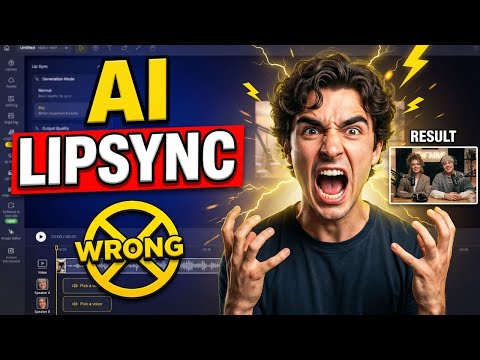 3:021:08Multi-character lip sync in Dzine AIThe demonstration shows how to assign voices to specific characters, arrange audio clips on a timeline to prevent overlapping dialogue, and generate automated facial movements.AiTLDR
 5:445:18Animate a still photo with AI Lip Sync in DZINEThe demo shows how to select a face in a generated image, choose an AI voice, and apply text-to-speech to create a lip-synced animation.Blog With Ben
- 11:023:48Multi-character lip sync and timeline editing in DZINEThe user demonstrates applying lip-sync to two different subjects in one image and using the timeline to sequence their dialogue so they don't speak over each other.Blog With Ben
 11:091:01Lip-sync AI characters in Dzine AIA demonstration of the lip-sync feature where the user selects a face, picks a voice (Joey), and generates a talking head video from a prompt.Moe Lueker
 6:090:41Generate and preview multi-character lip syncThe video shows the process of switching to Pro Mode in Dzine, initiating the generation task, and reviewing the final animated result where four characters speak in sync.Daniel | Tech & Data
 4:502:03Animate character dialogue in DzineA walkthrough of using Dzine's lip-sync feature, including manual face selection, audio uploading, and trimming the timeline for precise synchronization.Tao Prompts