Apply Camera Control in Runway

 Runway
Demo summary
The video shows how to use the Camera Control feature to add panning, zooming, and tilting movements to an AI-generated video.
Step-by-step
- Switch to the Camera Control menu
- Select a movement type such as panning, zooming, tilting, or rolling
- Adjust the intensity of the movement or set it to static
Options
- Keep the camera as static as possible
- Combine camera controls with a prompt description
Tips
- Use a prompt description to help the feature perform better
Highlights
“enhance your generation by adding camera movements... without altering the generation content”
All demos from “Runway AI - Tutorial for Beginners in 13 MINUTES ! [ FULL GUIDE ]”
- 0:511:32Generate video with Runway Gen-3 Alpha TurboThe user demonstrates how to generate a video from an image or video reference using the Gen-3 Alpha Turbo model, including prompt settings and extending video length.Runway· AI Video Generator
- 3:120:32Apply Camera Control in RunwayCurrentThe video shows how to use the Camera Control feature to add panning, zooming, and tilting movements to an AI-generated video.Runway· AI Animation Generator
- 5:091:33Text-to-video generation with Runway Gen-2A walkthrough of using the Gen-2 model to generate 4-second videos from text prompts, including the use of free previews and style presets.Runway· Text to Video
- 6:420:45Using Motion Brush in Gen-2The demo shows how to use the Motion Brush tool to select specific areas of a reference image and apply directional motion to them.Runway· AI Animation Generator
- 7:521:32Video-to-Video manipulation with Runway Gen-1The user demonstrates uploading a video to the Gen-1 interface to modify its style and content using presets and text prompts.Runway· Video to Video
- 10:050:26Animate characters with Runway Act-OneThe video demonstrates the Act-One tool, showing how a character image can follow the facial expressions and movements of a source video.Runway· Video to Video
- 10:330:33Lip Sync Video with Generative AudioA demonstration of the Lip Sync tool where an animated character is synced to a dialogue track or typed text.Runway· AI Lip Sync Generator
- 11:100:53Expand images with Infinite ImageThe user shows how to use the Infinite Image tool to outpaint and expand the borders of an existing image using AI frames and prompts.Runway· AI Outpainting
- 12:110:15Object editing with Erase and ReplaceA quick demonstration of brushing over an image area to replace objects using the Erase and Replace tool.Runway· AI Inpainting
- 12:260:18Change backgrounds with Backdrop RemixThe video shows how to swap the background of an image using presets or text prompts in the Backdrop Remix tool.Runway· AI Background Generator
- Watch “Runway AI - Tutorial for Beginners in 13 MINUTES ! [ FULL GUIDE ]” →
AI Animation Generator
 13:201:07Performance-driven animation with Runway Act OneThe creator demonstrates Runway's Act One tool, showing how a live camera recording of his own facial performance can drive the animation and expressions of a generated character.Emmanuel Crown
- 3:120:32Apply Camera Control in RunwayCurrentThe video shows how to use the Camera Control feature to add panning, zooming, and tilting movements to an AI-generated video.Skills Factory
- 6:420:45Using Motion Brush in Gen-2The demo shows how to use the Motion Brush tool to select specific areas of a reference image and apply directional motion to them.Skills Factory
 8:451:02Control video motion with KeyframesThe tutorial shows how to define multiple image keyframes and use camera controls (panning/tilting) to guide the motion of a generated video.Skills Factory
- 14:240:51Motion transfer with Runway Act TwoThe video shows how to use a webcam recording or uploaded video to transfer facial and body gestures onto a character image (a lion) using the Act Two feature.Skills Factory
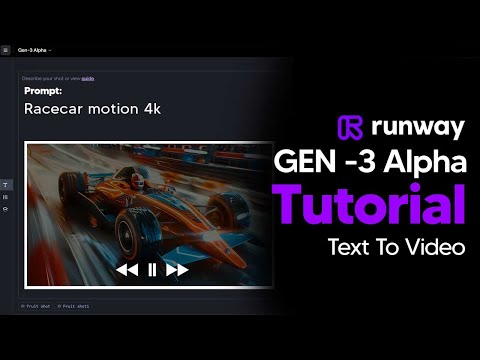 7:419:20Runway Gen-3 Alpha style and movement showcaseA rapid-fire demonstration of various camera angles (low angle, FPV, macro), lighting (diffused, silhouette), and movement types (explodes, transforms, vortex) within the Runway interface.TheAIGRID
 9:400:263D character animation in RunwayThe creator shows Runway animating a 3D octopus character picking up a jewel, demonstrating facial expressions and object interaction.Curious Refuge