Convert video to anime style with DomoAI

 DomoAI
Demo summary
The video shows the process of uploading a clip of a boxer and applying an anime style filter using DomoAI's video-to-video feature.
Step-by-step
- Click on the Video to Video tab
- Select a video asset from your files
- Press upload
- Select the desired style from the options
Options
- Select an anime style
- Apply styles to mask lighting inconsistencies
Tips
- Use this feature to completely change the style of existing footage for a new YouTube channel
- Use video-to-video to fix lighting inconsistencies in your original clips
Highlights
“we can select an asset very easily”
All demos from “Best AI Video Generator 2025: DomoAI Full Tutorial & Review”
- 0:401:42Animate images with DomoAI Image-to-VideoThe user uploads an AI-generated image of frogs and uses a text prompt to animate them into a video, adjusting settings like duration and aspect ratio.DomoAI· Image to Video
- 3:010:30Convert video to anime style with DomoAICurrentThe video shows the process of uploading a clip of a boxer and applying an anime style filter using DomoAI's video-to-video feature.DomoAI· Video to Video
- 3:310:41Generate realistic video from text with DomoAIA text prompt describing a man in pineapple glasses is used to generate a realistic video clip directly from text using the advanced model.DomoAI· Text to Video
- 4:240:50Create a talking AI avatar with DomoAIThe user demonstrates how to input a script, select an AI voice, and sync it to an image to create a talking head avatar with realistic lip-syncing.DomoAI· AI Avatar Video Generator
- Watch “Best AI Video Generator 2025: DomoAI Full Tutorial & Review” →
Video to Video
 5:290:41Transform video style with DomoAI Video to VideoThe user applies the 'Sketch Animate' template to an existing video clip to completely change its visual style while maintaining the motion.Dan - Smart Tutorials
 4:581:14Video-to-video style transfer with Domo AIThe creator demonstrates transforming an existing video into a 'soft toy' animation style using Domo AI's video-to-video feature.Paul J Lipsky
 6:110:43Video-to-Video style transfer with DomoAIThe user demonstrates the video-to-video feature by uploading a clip and applying a Japanese anime style preset to transform the visual aesthetic while maintaining the original movement.Daniel Davidson
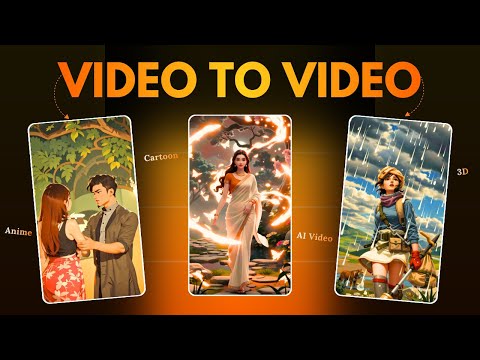 4:080:48Replace video characters with Domo AIA demonstration of the 'Character to Video' feature where a reference video and a character image (a bear) are used to replace the original subject in a scene.Hindi AI Gyaan
- 4:560:31Change video style with Domo AIThe user shows how to upload an existing video and apply a new visual style, such as 2.5D, to transform the footage using Domo AI.Hindi AI Gyaan
- 3:010:30Convert video to anime style with DomoAICurrentThe video shows the process of uploading a clip of a boxer and applying an anime style filter using DomoAI's video-to-video feature.Digital Product Wizard
 3:081:19Convert video to anime style with DomoAIThe creator demonstrates the video-to-video feature by uploading a clip, selecting an anime preset, and adjusting settings like 'more video' to maintain consistency with the original footage.AI Upskill