AI video generation in Google Gemini

 Gemini
Demo summary
The user shows the output of a video generation task in Google Gemini, highlighting the automatic addition of audio and the 8-second duration.
Step-by-step
- Open Gemini
- Enter a text prompt to generate a video
- Wait for the video to process
- Play the generated 8-second video to hear the automatically added audio
Watch out for
- A paid version of Gemini is required (Google One AI Premium plan)
- There is a daily limit on the number of videos you can generate
- If the generation is incorrect, you must use one of your limited daily credits to try again
Tips
- Note that Gemini automatically adds audio to your video clips
Highlights
“one of the things about Gemini is that it adds audio automatically, which I think is adorable”
All demos from “1min AI Review”
- 16:401:47Generate AI video with 1min.ai using KlingThe user demonstrates generating a 5-second video of a cat at a desk using the Kling model within the 1min.ai interface, showing the prompt input and the final credit-heavy result.1min.AI· Text to Video
- 19:030:33Video generation with OpenAI SoraA demonstration of generating a 10-second video of a cat using the same prompt in the paid version of ChatGPT (Sora model).ChatGPT· Text to Video
- 19:361:00AI video generation in Google GeminiCurrentThe user shows the output of a video generation task in Google Gemini, highlighting the automatic addition of audio and the 8-second duration.Gemini· Text to Video
- 21:220:35Create AI video with InVideoThe user demonstrates the free version of InVideo to create a 13-second video with audio and a watermark.InVideo· AI Video Generator
- 22:370:32AI video creation in CanvaA brief walkthrough of using Canva's AI video tools to generate a clip of a cat working, including background typing sounds.Canva· Text to Video
- Watch “1min AI Review” →




Text to Video
 1:581:20Generate cinematic video with Google Veo 3The video shows how to activate the video tool in Gemini and enter a detailed prompt to generate a slow-motion shot of chocolate chip cookies using the Veo 3 model.@KevinStratvert
- 4:081:13Refine video prompts using Gemini AIThe user demonstrates asking Gemini to write a more descriptive, cinematic prompt for a cookie-baking scene and then using that output to generate a better video.@KevinStratvert
 13:380:25Dolly shot camera instructions in Google Veo 3.1A demonstration of using specific camera movement keywords like 'wide angle dolly in' to control the output of Google Veo 3.1.Youri van Hofwegen
 3:180:19Generate video from custom text promptThe user demonstrates Gemini Omni's text-to-video capability by prompting it to show his avatar in a suit eating spaghetti at a restaurant.Paul J Lipsky
 8:041:07Create skydiving video with Google Veo 3.1 via GeminiThe video shows the process of inputting a complex prompt into Gemini to generate an 8-second clip of a grandmother skydiving into a Super Bowl stadium using the Veo 3.1 model.AI Master
 0:580:26Accessing Google Veo 3 in GeminiThe user demonstrates how to navigate to the video generation tab within the Gemini Advanced interface to access the Google Veo 3 model.@SocialtyPro
 0:030:30Generate cinematic video with Veo 3 in GeminiThe video demonstrates high-quality cinematic video generation, including a close-up of a person and a stylized landscape, using the Veo 3 model integrated into the Gemini app.Google
 2:201:02Generate video with audio in Google Veo 3The user demonstrates entering a text prompt into the Gemini interface to generate an 8-second cinematic video of a cookie including a specific narrated voiceover and sound effects using Google's Veo 3 model.@KevinStratvert
 3:340:54Text-to-video generation in Google GeminiThe creator uses Google Veo 3 within the Gemini interface to generate an 8-second video of a scientist speaking specific lines from a text prompt.Tim Harris AI
 1:211:01Generate AI video from text with Google Vids and VeoThe creator demonstrates how to use the Veo 3.1 integration within Google Vids to generate a video of a polar bear from a text prompt and insert it into the timeline.Paul J Lipsky
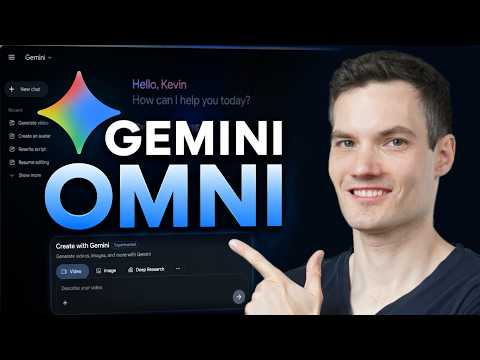 0:461:08Generate video from text with Gemini OmniThe user demonstrates how to navigate to the video icon in Gemini and enter a text prompt to generate a cinematic video of a storefront using the Omni model.@KevinStratvert
 11:560:15Successful multi-character dialogue generation in Google Veo 3Two successful generations from Google Veo 3 are demonstrated where the model correctly follows the prompt for a man and woman to exchange dialogue at a rainy bus stop with synchronized audio.MisterQuigleyAI