Enhance video colors and saturation with AnyEnhancer

 AnyEnhancer
Demo summary
The demonstration shows applying the color enhancement tool in AnyEnhancer to boost saturation and brightness on an old anime clip.
Step-by-step
- Select the Clarity color enhancement tool
- Apply the enhancement to the video clip
- Review the boosted saturation and brightness in the preview
Tips
- Use this tool specifically for restoring old anime or faded movies to make colors pop
Highlights
“the enhanced version is now more vibrant colorful and pleasing to watch”
All demos from “How to UPSCALE Anime & Movies to 4K with AI – AnyEnhancer Review & Tutorial”
- 1:260:54Upscale anime to 4K with AnyEnhancerThe video demonstrates uploading a 480p anime clip into AnyEnhancer and selecting the intelligent enhancement model to upscale it to 4K resolution.AnyEnhancer· AI Image Upscaler
- 3:550:49Increase video frame rate with AnyEnhancerThe user demonstrates applying 4X frame interpolation to a movie clip in AnyEnhancer to achieve a smoother 96 FPS output.AnyEnhancer· AI Video Enhancer
- 4:440:21Enhance video colors and saturation with AnyEnhancerCurrentThe demonstration shows applying the color enhancement tool in AnyEnhancer to boost saturation and brightness on an old anime clip.AnyEnhancer· AI Video Enhancer
- Watch “How to UPSCALE Anime & Movies to 4K with AI – AnyEnhancer Review & Tutorial” →
AI Video Enhancer
 1:121:00Remove video noise with AnyEnhancerThe user demonstrates uploading a grainy video to AnyEnhancer, selecting the 'Denoise' option, and generating a preview to show the AI-driven noise reduction results.iMobie - Multimedia
 1:440:19Colorize video with AnyEnhancerThe creator demonstrates how to select a video frame and apply the Colorize function in AnyEnhancer to preview a 3-second colorized sample of a video.VideoEditOz
- 2:031:09Face restoration on VHS footageThe user imports a 1982 VHS clip into AnyEnhancer, uses the timeline to select a section with unrecognizable faces, and applies the Face Restoration model to sharpen the details.VideoEditOz
- 4:320:45Remove video noise with AnyEnhancerThe creator shows a noisy wedding video filmed in low light and applies the Denoise function in AnyEnhancer to clean up grain on a black jacket.VideoEditOz
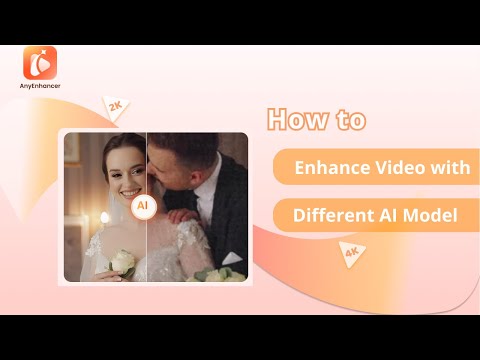 2:420:49Repair facial features with Face RestorationThis clip shows the Face Restoration tool in AnyEnhancer identifying and sharpening eyes, skin texture, and other facial features in blurry videos.iMobie Support
- 3:310:37Colorize grayscale video with AnyEnhancerThe Colorize model is demonstrated adding realistic color to black and white video sequences within the AnyEnhancer interface.iMobie Support
- 4:080:42Improve video vibrancy with Color EnhancementThe demonstration shows how to use the Color Enhancement model to adjust and enrich video colors for a more vivid and balanced look.iMobie Support
- 4:500:43Remove grain and artifacts with Denoise ModelAnyEnhancer's Denoise model is shown removing unwanted noise and grain from low-light video footage to improve clarity.iMobie Support
- 3:550:49Increase video frame rate with AnyEnhancerThe user demonstrates applying 4X frame interpolation to a movie clip in AnyEnhancer to achieve a smoother 96 FPS output.Btech
- 4:440:21Enhance video colors and saturation with AnyEnhancerCurrentThe demonstration shows applying the color enhancement tool in AnyEnhancer to boost saturation and brightness on an old anime clip.Btech