NightCafe Creator: Targeted image transformations in NightCafe
 NightCafe Creator
Demo summary
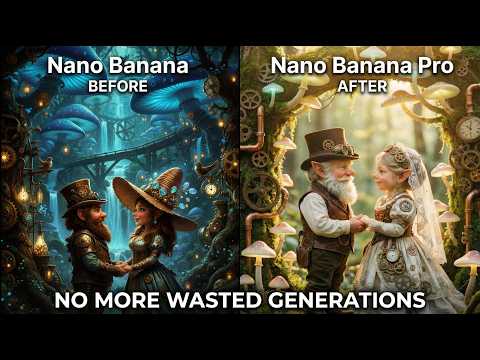
The video demonstrates applying specific edits like blurring the background and increasing color saturation to an existing image using the Nano Banana Pro model.
Step-by-step
- Select the Nano Banana Pro model
- Enter a prompt specifying targeted edits like 'blur the background' and 'increase color saturation'
- Add a reference image using the 'Start Images' feature
- Generate the image to apply the transformations
Options
- Use multiple reference images for fusion edits
- Transfer subject style from a reference image via image prompting
Tips
- Include the multiple reference image option to create unique combinations and fusion edits
- Use specific descriptive terms like 'colder' or 'cooler' to adjust lighting tones
Highlights
“I think it looks pretty good. It increased the saturation, it blurred the background, and did make things a bit cooler.”
All demos from “This AI Art Upgrade Is Bigger Than You Think”
- 5:001:50Fuse images and sketches with Nano Banana ProThe creator demonstrates how to select the Nano Banana Pro model in NightCafe's advanced mode and fuse a character sketch with a Renaissance painting background using a text prompt.NightCafe Creator· AI Image Combiner
- 6:501:11Edit AI images with natural language instructionsThe user shows the 'prompt to edit' feature in NightCafe, using Nano Banana Pro to transform a generated character into a cyberpunk style using simple conversational text.NightCafe Creator· AI Inpainting
- 8:010:54Targeted image transformations in NightCafeCurrentThe video demonstrates applying specific edits like blurring the background and increasing color saturation to an existing image using the Nano Banana Pro model.NightCafe Creator· AI Photo Editor
- Watch “This AI Art Upgrade Is Bigger Than You Think” →
AI Photo Editor
- 8:010:54Targeted image transformations in NightCafeCurrentThe video demonstrates applying specific edits like blurring the background and increasing color saturation to an existing image using the Nano Banana Pro model.NightCafe