Photoshop: Remove objects with Nana Banana and Flux Kontext Pro

 Photoshop
Demo summary
The user demonstrates selecting a fence in Photoshop Beta and using the 'remove fence' prompt with both Nana Banana and Flux Kontext Pro to compare their object removal capabilities.
Step-by-step
- Select the entire image using Control A or Command A
- Open the Generative Fill menu
- Select a partner model such as Nana Banana or Flux Kontext Pro
- Type 'remove fence' into the prompt box
- Click Generate
Options
- Use Adobe Firefly for standard generative fill
- Use Gemini Nana Banana for 'beautiful' results
- Use Flux Kontext Pro for 'lifelike' results and conversational editing
Watch out for
- Both Nana Banana and Flux Kontext Pro can cause a loss of resolution in specific areas like trees
- Nana Banana may cause the frame to stretch or move slightly
- Flux Kontext Pro may leave visible lines where objects were removed
Tips
- Select the entire image rather than a specific area since these models are content-aware
- Compare multiple models as performance varies depending on the specific image and object
Highlights
“The nice thing about both Nana Banana and Flux is they're content-aware, meaning I can select the entire image and just give it instructions”
All demos from “No one is talking about Flux Kontext Pro in Photoshop”
- 1:152:23Remove objects with Nana Banana and Flux Kontext ProCurrentThe user demonstrates selecting a fence in Photoshop Beta and using the 'remove fence' prompt with both Nana Banana and Flux Kontext Pro to compare their object removal capabilities.Photoshop· AI Object Remover/Eraser
- 3:380:40Replace objects using Flux and Nana BananaThe demonstrator uses a selection to replace a person's legs with a Harley Davidson motorcycle using Flux and then compares the result to the Nana Banana model.Photoshop· AI Inpainting
- 4:181:21Conversational image editing with Flux Kontext ProThe user performs complex edits on a photo of a guitarist, including changing guitar color and hair length, showing how Flux Kontext Pro maintains original image structure better than Nana Banana.Photoshop· AI Inpainting
- 6:322:10Transform image style and remove featuresThe demonstrator attempts to remove wings and change a fantasy photo to a 'summertime' style using Flux and Nana Banana to test realism and consistency.Photoshop· AI Inpainting
- 9:551:57Text-to-image generation with Flux Kontext ProThe user generates a highly detailed 1800s sea battle and a knight in armor from a blank canvas using complex prompts in Flux Kontext Pro within Photoshop.Photoshop· Text to Image
- Watch “No one is talking about Flux Kontext Pro in Photoshop” →
AI Object Remover/Eraser
 0:431:05Remove background people with Photoshop Remove ToolThe demonstrator uses the 'Find Distractions' feature within the Photoshop Remove Tool to automatically detect and delete people from the background of a portrait.PHLEARN
- 2:270:36One-click wire and cable removal in PhotoshopUsing the Remove Tool's 'Wires and Cables' distraction finder, the video shows how to instantly clear complex power lines from an urban photo.PHLEARN
- 3:090:29Manual object removal with Photoshop Remove ToolThe user demonstrates painting over specific small objects (light bulbs and supports) with the Remove Tool to erase them manually.PHLEARN
- 4:151:04Remove objects using Generative Fill and Firefly Image 3The demonstrator uses the Selection Brush to highlight a distracting sign and applies Generative Fill (powered by Adobe Firefly) to generate three different AI variations of the background.PHLEARN
- 5:330:25Painting over subjects with the Remove ToolA final demonstration shows manually painting over a person in a photo using the Remove Tool to perform a quick, non-destructive deletion.PHLEARN
- 1:152:23Remove objects with Nana Banana and Flux Kontext ProCurrentThe user demonstrates selecting a fence in Photoshop Beta and using the 'remove fence' prompt with both Nana Banana and Flux Kontext Pro to compare their object removal capabilities.photoshopCAFE
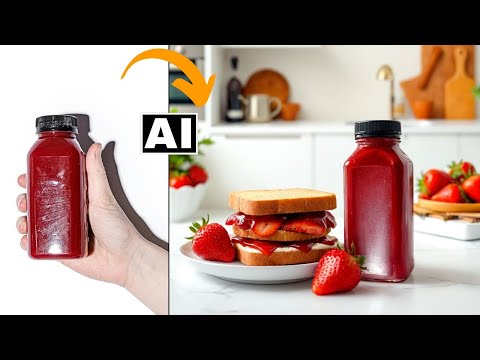 0:431:53Remove objects with Photoshop Generative FillThe user demonstrates how to select and remove a hand from a product photo using Photoshop's Generative Fill and the Object Selection tool to isolate the product.Creative Pad Media
 0:260:55Remove simple objects with Photoshop Remove ToolThe creator demonstrates how to remove a trash can from a photo using the Remove Tool with 'remove after each stroke' enabled and Generative AI turned off for speed.PiXimperfect
- 1:280:53Remove complex objects using Generative AI in PhotoshopThe video shows how to remove a photobomber from a portrait by enabling the Generative AI option within the Remove Tool to reconstruct complex backgrounds.PiXimperfect
- 2:570:48Manual stroke selection for object removalThe creator demonstrates unchecking 'remove after each stroke' to carefully paint over a bird before triggering the AI removal with the Enter key.PiXimperfect
- 4:121:07Automatically find and remove people in PhotoshopThe demo shows the 'Find Distractions' feature in Photoshop 2025, which automatically detects and selects background people for one-click removal.PiXimperfect
- 5:240:32Remove wires and cables automaticallyThe creator uses the 'Find Distractions: Wires and Cables' feature to automatically identify and erase power lines from a complex urban photo.PiXimperfect