Podcastle: Fix eye contact using AI

Demo summary
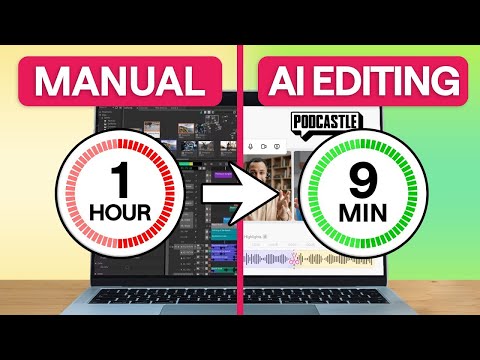
The user shows how to correct a lack of eye contact in a video by selecting the 'eye contact AI tool' from the Podcastle AI assistant menu.
Step-by-step
- Navigate to the AI assistant menu
- Click on the eye contact AI tool
- Wait for the processing to complete
Tips
- Use a teleprompter for PC or mobile to avoid eye contact issues in future recordings
Highlights
“So much better, right?”
All demos from “How I Edit Videos 7X Faster with AI (Podcastle Tutorial)”
- 0:270:35Remove background noise with Podcastle AIThe creator demonstrates how to eliminate distracting background noise by clicking the AI assistant button and selecting noise reduction and autoleveling within the Podcastle editor.PPodcastle· AI Audio Enhancer & Noise Reduction
- 1:270:23Fix eye contact using AICurrentThe user shows how to correct a lack of eye contact in a video by selecting the 'eye contact AI tool' from the Podcastle AI assistant menu.PPodcastle· AI Video Editor
- 1:550:18Enhance video quality and add cinematic blurThe demonstration shows using Podcastle's 'AI video enhance' and 'cinematic blur' features to improve low-quality footage and create a professional depth-of-field effect.PPodcastle· AI Video Enhancer
- 3:260:27Automate multi-cam editing with Smart LayoutThe user demonstrates the 'smart layout' and 'dynamic speaker' features in Podcastle to automatically switch camera angles between two different speakers in a conversation.PPodcastle· AI Video Editor
- 4:130:19Generate video subtitles with AIThe demonstration shows how to select video clips and use the subtitles button in Podcastle to automatically generate and style captions in seconds.PPodcastle· AI Video Editor
- Watch “How I Edit Videos 7X Faster with AI (Podcastle Tutorial)” →
AI Video Editor
 3:011:01Enhance content with AI tools and layoutsDemonstration of AI features including Magic Dust for noise removal, background blurring, eye contact correction, voice cloning for patches, and dynamic speaker layouts.Async
- 1:270:23Fix eye contact using AICurrentThe user shows how to correct a lack of eye contact in a video by selecting the 'eye contact AI tool' from the Podcastle AI assistant menu.Async
- 3:260:27Automate multi-cam editing with Smart LayoutThe user demonstrates the 'smart layout' and 'dynamic speaker' features in Podcastle to automatically switch camera angles between two different speakers in a conversation.Async
- 4:130:19Generate video subtitles with AIThe demonstration shows how to select video clips and use the subtitles button in Podcastle to automatically generate and style captions in seconds.Async