Podcastle: Enhance content with AI tools and layouts


Demo summary
Demonstration of AI features including Magic Dust for noise removal, background blurring, eye contact correction, voice cloning for patches, and dynamic speaker layouts.
Step-by-step
- Click Magic Dust to remove noise and balance audio dynamics
- Use AI video enhance to clean up visuals or apply cinematic blur
- Activate Eye Contact AI to align your gaze with the camera
- Clone your voice and type text to generate a patch for audio corrections
- Drag and drop media from the built-in library onto the timeline
- Select a view from Smart Layout such as split screen, stacked, or spotlighted
- Turn on Dynamic Speaker mode to automate view switching based on the active speaker
Options
- Automatically level volume
- Cut long silences
- Highlight filler words
- Use a natural sounding AI voiceover instead of a voice clone
- Add royalty-free music, videos, or GIFs
Tips
- Use Eye Contact AI if you are reading from a teleprompter
- Use Dynamic Speaker mode to eliminate the need for manual layout edits
Highlights
“look amazing with very little effort”
All demos from “Podcastle Demo: Easily Record, Edit and Publish Videos & Podcasts (Full Tutorial)”
- 3:011:01Enhance content with AI tools and layoutsCurrentDemonstration of AI features including Magic Dust for noise removal, background blurring, eye contact correction, voice cloning for patches, and dynamic speaker layouts.PPodcastle· AI Video Editor
- 4:020:50Export and publish from PodcastleThe narrator walks through exporting files in various formats (MP3, 4K MP4), generating RSS feeds, and setting up show details for distribution to platforms like Spotify.PPodcastle· AI Audio Editor
- Watch “Podcastle Demo: Easily Record, Edit and Publish Videos & Podcasts (Full Tutorial)” →
AI Video Editor
- 3:011:01Enhance content with AI tools and layoutsCurrentDemonstration of AI features including Magic Dust for noise removal, background blurring, eye contact correction, voice cloning for patches, and dynamic speaker layouts.Async
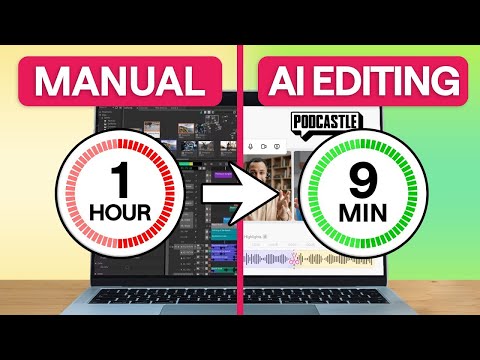 1:270:23Fix eye contact using AIThe user shows how to correct a lack of eye contact in a video by selecting the 'eye contact AI tool' from the Podcastle AI assistant menu.Async
- 3:260:27Automate multi-cam editing with Smart LayoutThe user demonstrates the 'smart layout' and 'dynamic speaker' features in Podcastle to automatically switch camera angles between two different speakers in a conversation.Async
- 4:130:19Generate video subtitles with AIThe demonstration shows how to select video clips and use the subtitles button in Podcastle to automatically generate and style captions in seconds.Async