Generate a music video with Producer.AI chat
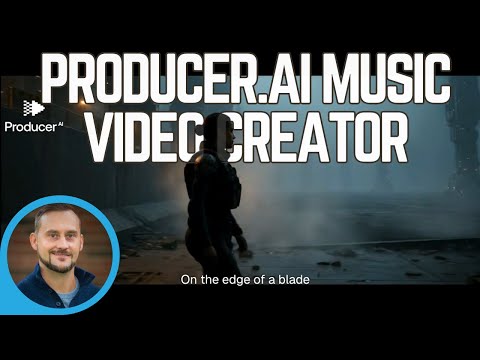

Demo summary
The user demonstrates the chat-based interface of Producer.AI to select a song, set a surreal style, choose a vertical aspect ratio, and initiate a 45-second video generation.
Step-by-step
- Open the chat session mode in Producer.AI
- Select a song from your library or upload a new track
- Specify the desired aspect ratio (e.g., vertical)
- Define the creative direction or style (e.g., surreal)
- Select the clip duration and the specific starting point of the song
- Confirm the credit cost and click Create the video
Options
- Upload a main character
- Upload a style reference image
- Choose video duration between 10 seconds and 120 seconds
- Interact with the interface using natural language like an LLM
Watch out for
- You must have sufficient credits or an active subscription to initiate the generation
- The system may require a manual retry command if credits are added mid-session
Tips
- You don't need perfect spelling or grammar when chatting with the LLM interface
- Specify a specific section of the song, like the chorus, to better align the video content
Highlights
“it's a smart LLM to where you don't really have to write things correctly”
All demos from “Producer.AI Demo [NEW FEATURE] | This AI Turns ANY Song Into a Music Video Instantly 🎶😲🎉”
- 0:541:47Generate a music video with Producer.AI chatCurrentThe user demonstrates the chat-based interface of Producer.AI to select a song, set a surreal style, choose a vertical aspect ratio, and initiate a 45-second video generation.PProducer.Ai· AI Music Video Generator
- 4:361:20Upload audio and configure AI character in Producer.AIThe creator walks through uploading a custom audio track to Producer.AI and using the LLM interface to define a dark sci-fi concept with a consistent AI character for a horizontal video.PProducer.Ai· Script To Video AI Generator
- Watch “Producer.AI Demo [NEW FEATURE] | This AI Turns ANY Song Into a Music Video Instantly 🎶😲🎉” →
AI Music Video Generator
 4:501:10Creating an AI music videoThe narrator demonstrates the music video generator within Producer AI, showing how to upload a custom character image and set the video format for social media.Tech Cave Today
- 0:541:47Generate a music video with Producer.AI chatCurrentThe user demonstrates the chat-based interface of Producer.AI to select a song, set a surreal style, choose a vertical aspect ratio, and initiate a 45-second video generation.Creative AI Show
 24:181:01Syncing audio to a generated music videoThe user instructs the AI agent to sync a specific 10-second audio hook to a generated video clip and initiates the rendering process.Music Tech Info