Sonauto: Advanced prompting for artist styles

 Sonauto
Demo summary
The host demonstrates creating a new prompt using specific band members ('Paul McCartney and John Lennon') and a specific album style ('Magical Mystery Tour') to generate a new track.
Step-by-step
- Click New Prompt
- Enter a prompt specifying band members and a specific album style
- Enable Fancy Mode
- Click Generate
Options
- Specify individual band members (e.g., Paul McCartney and John Lennon)
- Reference specific album eras (e.g., Magical Mystery Tour)
Tips
- Be bold with specific details in the prompt to refine the artist style
All demos from “Sonauto V2 - 100% Free AI Music - Better Lyrics, Great Fidelity, Artist Styles”
- 2:490:51Generate an Indie Lo-Fi song with SonautoThe host demonstrates the basic creation process in Sonauto by entering a prompt for an 'Indie Lo-Fi song about Ramen', adjusting the prompt strength slider, and selecting 'Auto lyrics' before clicking generate.Sonauto· AI Song Generator
- 6:290:35Using Custom Styles and Fancy Mode in SonautoThe host shows how to use the 'custom style' dropdown to select 'late night lo-fi' and enables 'fancy mode' for higher quality experimental output.Sonauto· AI Music Generator
- 7:230:40AI Stem Separation in SonautoThe host demonstrates the stem separation feature, playing back individual tracks for drums, bass, and vocals from a generated song.Sonauto· AI Vocal Remover & Stem Splitter
- 8:240:22In-painting and manual lyric editingThe host explains and shows the UI for in-painting, where a user can select a specific verse to regenerate or manually edit lyrics for a specific section of the track.Sonauto· AI Song Generator
- 12:530:12Referencing specific artists in promptsThe host demonstrates how to refine a prompt by adding a specific artist name ('Freddy Mercury') and adjusting the style strength slider to influence the AI's output.Sonauto· Text to Image
- 26:060:21Advanced prompting for artist stylesCurrentThe host demonstrates creating a new prompt using specific band members ('Paul McCartney and John Lennon') and a specific album style ('Magical Mystery Tour') to generate a new track.Sonauto· AI Song Generator
- Watch “Sonauto V2 - 100% Free AI Music - Better Lyrics, Great Fidelity, Artist Styles” →
AI Song Generator
 5:401:05Generate German dark pop music with SonautoThe user demonstrates the Sonauto interface by entering specific tags like '1990s', 'dark pop', and 'German lyrics' into the advanced tab to generate a new track.Oprelia AI
 0:370:54Generate music with Simple Mode in Sonauto AIThe user demonstrates entering a text prompt for a pop electronic track and clicking generate to produce two song variations in Sonauto AI.Artificial Quotient
- 2:590:45Custom lyrics and tags in Advanced ModeThe narrator walks through pasting custom lyrics and selecting specific style tags to shape a song's genre and instrumentation in Sonauto AI.Artificial Quotient
- 3:440:44Extend song length and replace lyricsThe user demonstrates clicking the 'Extend' option to add new sections to a track and shows how to replace specific lyrics with new ones.Artificial Quotient
 3:562:56Generate a 50 Cent style hip-hop song in SonautoThe creator navigates to the 'make music' section of Sonauto, enters a prompt for a '50 Cent hip-hop song' with 'Timberland 2000s' tags, and generates a track to evaluate the vocal quality and beat production.Busy Works Beats
- 8:382:00Using custom lyrics and tags in Sonauto Advanced ModeThe creator demonstrates the advanced interface of Sonauto, attempting to paste custom lyrics while selecting specific genre tags like 'hip-hop', 'rap', and 'boom bap' to control the output.Busy Works Beats
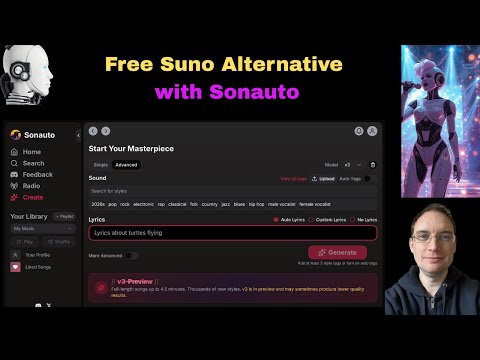 0:541:54Generate AI music with Sonauto Advanced modeThe user navigates to the Advanced mode in Sonauto, enters style tags like 'male vocalist', 'pop', and 'metal', and adjusts the lyrics and style strength sliders before generating a track.Music Tech Info
- 3:590:54Refining prompts and downloading stems in SonautoThe demonstrator modifies the prompt to 'energetic pop', generates new tracks, and shows how to download the full WAV file and individual instrument stems from the edit menu.Music Tech Info
- 8:400:59Using specific artist tags in SonautoThe user types a specific artist name into the tag field to demonstrate how the model's training data influences the output style and generates a new track based on that tag.Music Tech Info
- 14:470:55Exploring the Sonauto Tag GraphThe demonstrator opens the 'view all tags' list and the 'show tag graph' to visualize how different musical genres and styles are mapped and connected within the Sonauto model.Music Tech Info
 1:461:11Generate and download rock music with SonautoThe creator demonstrates entering a prompt for a rock song with specific lyrics into Sonauto, showing how the tool generates multiple genre-tagged variations and allows for free file downloads.Lidori
 0:100:13Generate music with Sonauto AI Simple ModeThe narrator demonstrates entering a text description for an upbeat pop song and clicking generate to produce multiple song versions in Sonauto AI.How To Thomas