Runway Gen-3 Alpha style and movement showcase
 Runway
Demo summary
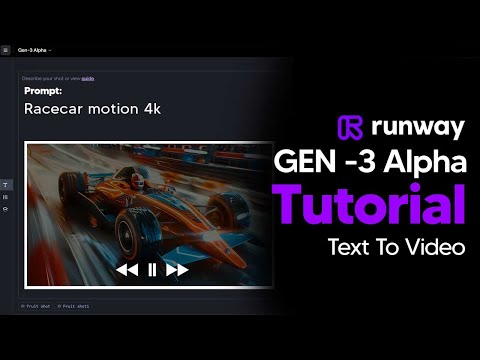
A rapid-fire demonstration of various camera angles (low angle, FPV, macro), lighting (diffused, silhouette), and movement types (explodes, transforms, vortex) within the Runway interface.
All demos from “How To Use Runway Gen-3 Alpha - (Runway Gen-3 Tutorial) - Gen 3 Alpha Guide”
- 2:110:45Generate AI video with simple and detailed prompts in RunwayThe user demonstrates entering a simple prompt ('Fruit sitting on a table in the jungle') versus a highly detailed descriptive prompt into Runway Gen-3 Alpha to generate 5-second video clips.Runway· Text to Video
- 4:291:08Reuse settings and manage seeds in Runway Gen-3The video shows how to use the 'Reuse Settings' button and how to copy/paste a specific seed from a generated clip into the settings tab to maintain visual consistency in Runway.Runway· AI Video Generator
- 6:090:55Create and apply custom presets in RunwayThe user demonstrates creating a 'custom preset' by naming a prompt and saving it to a library for quick application in future Runway projects.Runway· AI Image Generator
- 7:419:20Runway Gen-3 Alpha style and movement showcaseCurrentA rapid-fire demonstration of various camera angles (low angle, FPV, macro), lighting (diffused, silhouette), and movement types (explodes, transforms, vortex) within the Runway interface.Runway· AI Animation Generator
- Watch “How To Use Runway Gen-3 Alpha - (Runway Gen-3 Tutorial) - Gen 3 Alpha Guide” →
AI Animation Generator
 13:201:07Performance-driven animation with Runway Act OneThe creator demonstrates Runway's Act One tool, showing how a live camera recording of his own facial performance can drive the animation and expressions of a generated character.Emmanuel Crown
 3:120:32Apply Camera Control in RunwayThe video shows how to use the Camera Control feature to add panning, zooming, and tilting movements to an AI-generated video.Skills Factory
- 6:420:45Using Motion Brush in Gen-2The demo shows how to use the Motion Brush tool to select specific areas of a reference image and apply directional motion to them.Skills Factory
 8:451:02Control video motion with KeyframesThe tutorial shows how to define multiple image keyframes and use camera controls (panning/tilting) to guide the motion of a generated video.Skills Factory
- 14:240:51Motion transfer with Runway Act TwoThe video shows how to use a webcam recording or uploaded video to transfer facial and body gestures onto a character image (a lion) using the Act Two feature.Skills Factory
- 7:419:20Runway Gen-3 Alpha style and movement showcaseCurrentA rapid-fire demonstration of various camera angles (low angle, FPV, macro), lighting (diffused, silhouette), and movement types (explodes, transforms, vortex) within the Runway interface.TheAIGRID
 9:400:263D character animation in RunwayThe creator shows Runway animating a 3D octopus character picking up a jewel, demonstrating facial expressions and object interaction.Curious Refuge