3D character animation in Runway

 Runway
Demo summary
The creator shows Runway animating a 3D octopus character picking up a jewel, demonstrating facial expressions and object interaction.
All demos from “Runway 4.5 vs Kling 2.6: Who Wins? (AI Video Review)”
- 1:131:20Animate images with Runway Gen-3 Alpha TurboThe creator demonstrates how to upload an image of a man running, select the Gen-3 Alpha Turbo model (misidentified as 4.5), set aspect ratios, and configure generation length up to 10 seconds.Runway· Image to Video
- 3:580:10Upscale video to 4K in RunwayThe user demonstrates the built-in 'Upscale to 4K' feature within the Runway platform to increase the resolution of a generated clip.Runway· AI Video Upscaler
- 4:380:18Generate particle effects with RunwayA demonstration of using Runway to animate a spirit character with specific prompts for purple particles and billowing smoke.Runway· Video to Video
- 7:370:09Cinematic camera push-in with Google Veo 3.1A demonstration of Google Veo 3.1 performing a slow camera push-in on a reference image of two people talking.Google AI Studio· Image to Video
- 9:400:263D character animation in RunwayCurrentThe creator shows Runway animating a 3D octopus character picking up a jewel, demonstrating facial expressions and object interaction.Runway· AI Animation Generator
- Watch “Runway 4.5 vs Kling 2.6: Who Wins? (AI Video Review)” →

AI Animation Generator
 13:201:07Performance-driven animation with Runway Act OneThe creator demonstrates Runway's Act One tool, showing how a live camera recording of his own facial performance can drive the animation and expressions of a generated character.Emmanuel Crown
 3:120:32Apply Camera Control in RunwayThe video shows how to use the Camera Control feature to add panning, zooming, and tilting movements to an AI-generated video.Skills Factory
- 6:420:45Using Motion Brush in Gen-2The demo shows how to use the Motion Brush tool to select specific areas of a reference image and apply directional motion to them.Skills Factory
 8:451:02Control video motion with KeyframesThe tutorial shows how to define multiple image keyframes and use camera controls (panning/tilting) to guide the motion of a generated video.Skills Factory
- 14:240:51Motion transfer with Runway Act TwoThe video shows how to use a webcam recording or uploaded video to transfer facial and body gestures onto a character image (a lion) using the Act Two feature.Skills Factory
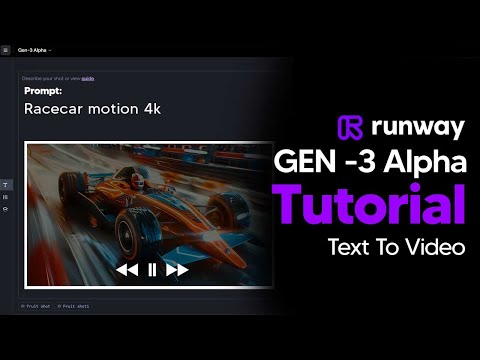 7:419:20Runway Gen-3 Alpha style and movement showcaseA rapid-fire demonstration of various camera angles (low angle, FPV, macro), lighting (diffused, silhouette), and movement types (explodes, transforms, vortex) within the Runway interface.TheAIGRID
- 9:400:263D character animation in RunwayCurrentThe creator shows Runway animating a 3D octopus character picking up a jewel, demonstrating facial expressions and object interaction.Curious Refuge