Lip sync video with Sync.so

 Sync.So
Demo summary
The creator demonstrates how to upload a video and audio file to the Sync.so dashboard and apply the AI lip-syncing process to align the character's mouth movements with the audio.
Step-by-step
- Sign in to the Sync.so dashboard
- Click on Create Project
- Upload your video by clicking the browse icon or dragging the file onto the dashboard
- Drag your audio file into the space labeled 'drag to upload audio file' on the timeline
- Click the blue icon at the far right of the timeline to apply lip syncing
- Wait for the AI processing to complete
Options
- Upload video via browse icon
- Upload video via drag and drop
- Subscribe to a paid plan to remove watermarks
Watch out for
- The free version includes a watermark on the output video
Tips
- Subscribe to the platform once you are monetized to support the tool and get watermark-free content
Highlights
“The lip scene looks great. Yeah. Yes, there is a watermark, but is not too bold.”
All demos from “How to Use Sync.so for Lip Syncing (AI Tool Tutorial)”
- 0:451:53Lip sync video with Sync.soCurrentThe creator demonstrates how to upload a video and audio file to the Sync.so dashboard and apply the AI lip-syncing process to align the character's mouth movements with the audio.Sync.So· AI Lip Sync Generator
- 2:380:24Remove watermarks using CapCutThe video shows how to use the crop tool in CapCut to remove a watermark from a video clip by adjusting the frame edges.CapCut· AI Video Editor
- Watch “How to Use Sync.so for Lip Syncing (AI Tool Tutorial)” →

AI Lip Sync Generator
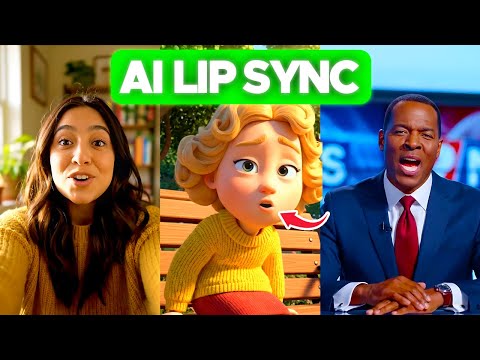 1:433:02Lip-syncing video with LipSync 2 Pro on sync.soThe user demonstrates uploading a video to sync.so, selecting the LipSync 2 Pro model, configuring settings like 'detect active speaker' and 'detect obstructions', and integrating ElevenLabs voices for the audio output.AI Simplified
- 6:551:34Changing facial expressions with React 1 on sync.soThe demonstration shows how to use the React 1 model on sync.so to rewrite facial emotions (such as happy, sad, or angry) and head movements while syncing the mouth to new dialogue.AI Simplified
 1:220:39Translate and lip-sync video with Sync.soThe creator demonstrates the Sync.so web interface by creating a new project, uploading a video, and pasting translated Spanish text to generate a lip-synced output.Sebastian Kamph
- 2:111:30Advanced voice cloning and obstruction detection in Sync.soThe demo shows how to upload an audio sample for voice cloning and toggle the 'detect obstructions' setting to maintain lip-sync accuracy when a hand covers the mouth.Sebastian Kamph
- 0:451:53Lip sync video with Sync.soCurrentThe creator demonstrates how to upload a video and audio file to the Sync.so dashboard and apply the AI lip-syncing process to align the character's mouth movements with the audio.Learn with Emnet
 2:341:43Navigating the Sync.so Dashboard and Upload ProcessThe video demonstrates the Sync.so interface, showing how to toggle between Light and Timeline modes and how to upload video and audio files for AI lip-syncing.IdeaPlex