Advanced voice cloning and obstruction detection in Sync.so

 Sync.So
Demo summary
The demo shows how to upload an audio sample for voice cloning and toggle the 'detect obstructions' setting to maintain lip-sync accuracy when a hand covers the mouth.
Step-by-step
- Navigate to the Advanced tab
- Go to Voice Options
- Upload an audio file to clone your own voice
- Input your script or a translation of your transcript
- Toggle on the Detect Obstructions setting
- Click Generate
Options
- Use voice presets instead of cloning
- Upload a short 30-second audio sample for cloning
- Upload a longer (7-minute) audio sample for cloning
- Use a translated script for multilingual lip-syncing
Watch out for
- The Detect Obstructions setting must be manually toggled on to handle hands or objects covering the mouth
Tips
- A 30-second audio sample is sufficient for a good voice clone
- Ensure Detect Obstructions is on if the original video contains visual blocks over the face
Highlights
“the AI still is doing the the lip sync pretty good. So, it recognized this obstruction, which not every model can do.”
All demos from “AI lipsync with Sync”
- 1:220:39Translate and lip-sync video with Sync.soThe creator demonstrates the Sync.so web interface by creating a new project, uploading a video, and pasting translated Spanish text to generate a lip-synced output.Sync.So· AI Lip Sync Generator
- 2:111:30Advanced voice cloning and obstruction detection in Sync.soCurrentThe demo shows how to upload an audio sample for voice cloning and toggle the 'detect obstructions' setting to maintain lip-sync accuracy when a hand covers the mouth.Sync.So· AI Lip Sync Generator
- 4:460:35Installing and using the Sync custom node in ComfyUISebastian walks through installing the Sync custom node via Git URL in ComfyUI and setting up a workflow with video/audio input nodes and the Sync generate node.ComfyUI· AI Lip Sync Generator
- 5:291:09Combining image-to-video models with Sync in ComfyUIThe video demonstrates a complex workflow using Krea.ai to transform a shot into a cinematic style before passing the generated video into Sync for final lip-syncing.ComfyUI· AI Lip Sync Generator
- 7:070:23Multi-speaker lip-sync with 'Detect Active Speaker'The demonstration shows how to enable the 'detect active speaker' setting in Sync to automatically identify and sync only the person currently talking in a multi-person frame.Sync· AI Lip Sync Generator
- Watch “AI lipsync with Sync” →


AI Lip Sync Generator
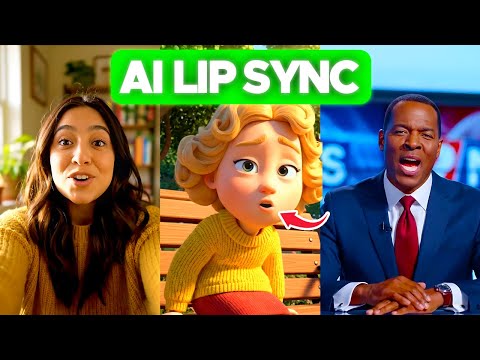 1:433:02Lip-syncing video with LipSync 2 Pro on sync.soThe user demonstrates uploading a video to sync.so, selecting the LipSync 2 Pro model, configuring settings like 'detect active speaker' and 'detect obstructions', and integrating ElevenLabs voices for the audio output.AI Simplified
- 6:551:34Changing facial expressions with React 1 on sync.soThe demonstration shows how to use the React 1 model on sync.so to rewrite facial emotions (such as happy, sad, or angry) and head movements while syncing the mouth to new dialogue.AI Simplified
- 1:220:39Translate and lip-sync video with Sync.soThe creator demonstrates the Sync.so web interface by creating a new project, uploading a video, and pasting translated Spanish text to generate a lip-synced output.Sebastian Kamph
- 2:111:30Advanced voice cloning and obstruction detection in Sync.soCurrentThe demo shows how to upload an audio sample for voice cloning and toggle the 'detect obstructions' setting to maintain lip-sync accuracy when a hand covers the mouth.Sebastian Kamph
 0:451:53Lip sync video with Sync.soThe creator demonstrates how to upload a video and audio file to the Sync.so dashboard and apply the AI lip-syncing process to align the character's mouth movements with the audio.Learn with Emnet
  2:341:43Navigating the Sync.so Dashboard and Upload ProcessThe video demonstrates the Sync.so interface, showing how to toggle between Light and Timeline modes and how to upload video and audio files for AI lip-syncing.IdeaPlex