AnyEnhancer: Upscaling video resolution

 AnyEnhancer
Demo summary
AnyEnhancer is demonstrated upgrading video clarity and detail to 2K/4K HD resolution.
All demos from “The Basic Information of AnyEnhancer”
- 1:180:27Navigating the AnyEnhancer interfaceThe video demonstrates how to upload a file and navigate the display and function areas within the AnyEnhancer desktop application.AnyEnhancer· AI Image/Photo Enhancer
- 1:450:13Intelligent enhancement with AnyEnhancerThe tool AnyEnhancer is shown sharpening facial details and boosting video resolution to 4K.AnyEnhancer· AI Video Upscaler
- 1:580:16Upscaling video resolutionCurrentAnyEnhancer is demonstrated upgrading video clarity and detail to 2K/4K HD resolution.AnyEnhancer· AI Video Upscaler
- 2:140:19Face restoration in AnyEnhancerThe software demonstrates detecting faces and restoring fine details using quality and fast modes.AnyEnhancer· AI Photo Restoration
- 2:330:18Colorizing grayscale videoAnyEnhancer is shown adding realistic colors to a black and white video clip.AnyEnhancer· AI Video Enhancer
- 3:100:09Removing video noise and grainAnyEnhancer is demonstrated removing artifacts and grain from low-light footage to improve clarity.AnyEnhancer· AI Video Enhancer
- 3:190:22Frame interpolation for smooth playbackThe software is shown smoothing out a low-frame rate video to create stutter-free motion.AnyEnhancer· AI Video Interpolation
- Watch “The Basic Information of AnyEnhancer” →
AI Video Upscaler
 1:381:44Upscale and sharpen blurry faces with AnyEnhancerThe creator uploads a blurry video clip to AnyEnhancer and uses the 'Intelligent Enhancement' model at 2K resolution to sharpen facial features and improve overall clarity.Michelle The Creator
 4:210:51Configure video enhancement settings in AnyEnhancerThe user imports a low-quality b-roll clip into the AnyEnhancer app and selects settings for 4K upscaling, face restoration, color enhancement, and 4X frame rate interpolation.Digital Product Wizard
- 5:120:59Preview AI video upscaling and face restorationThe AnyEnhancer tool processes a 3-second preview of the footage, showing a side-by-side comparison of the original blurry video versus the AI-enhanced version with clearer facial details.Digital Product Wizard
- 6:110:30Exporting enhanced video from AnyEnhancerThe user demonstrates the export process in AnyEnhancer, selecting the output format (MP4, MOV, WebM, or FLV) and saving the final rendered 4K file to the desktop.Digital Product Wizard
 1:491:36Upscale video to 4K with AnyEnhancerThe user demonstrates the AnyEnhancer interface, showing how to upload a low-quality sample video and select enhancement models like 'Smart Enhancement' or 'Face Correction' to achieve 4K resolution.AI様の下僕
- 3:280:35Compare upscaled 4K output in AnyEnhancerThe video shows a side-by-side comparison of a low-resolution dance video generated in ComfyUI versus the processed 4K version using AnyEnhancer.AI様の下僕
- 4:240:39Enhance Sora AI video resolutionThe creator demonstrates the difference between a raw 1080p video generated by Sora and an upscaled 4K version, highlighting the reduction in blurriness when zoomed.AI様の下僕
 1:380:46Previewing and exporting upscaled video in AnyEnhancerThe video shows the process of previewing the AI enhancement, selecting output formats, and exporting the final high-resolution video file.Cero
 3:440:48Upscale video to 4K with Intelligent EnhancementThe video shows the process of using AnyEnhancer's Intelligent Enhancement model to simultaneously perform facial restoration and upscale a 1080p video to 4K resolution.VideoEditOz
 0:111:45Enhance video resolution with AnyEnhancerThe video demonstrates how to upload a file to AnyEnhancer, select the Resolution Enhancement AI model, preview the side-by-side comparison, and export the final upscaled video.iMobie Support
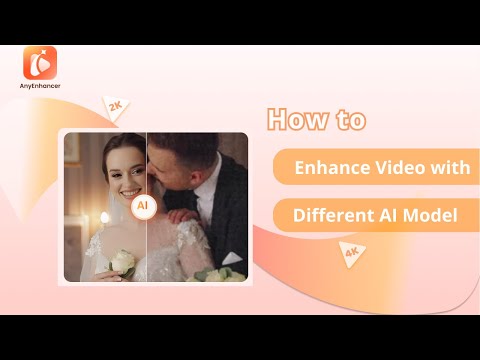 0:411:02Upscale video resolution with Intelligent EnhancementThe video demonstrates using AnyEnhancer's Intelligent Enhancement model to refine facial details and upscale video resolution to 2K or 4K.iMobie Support
- 1:430:59Increase video clarity with Resolution EnhancementAnyEnhancer is shown processing low-resolution footage to increase clarity and detail using its dedicated Resolution Enhancement AI.iMobie Support