OpenArt: Image-to-image generation with Seedream 4.5

 OpenArt
Demo summary
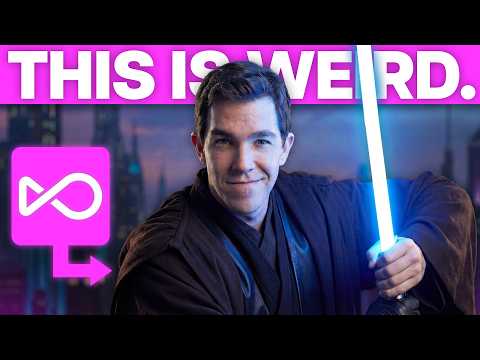
The creator uses a personal photo as a reference in OpenArt to generate a cinematic movie character floating in a bubble using the Seedream 4.5 model.
Step-by-step
- Start a new chat in OpenArt
- Upload a personal photo to use as a reference image
- Enter a prompt describing the desired transformation and cinematic style
- Copy the generated detailed prompt
- Switch the model to Seedream 4.5
- Paste the prompt and generate the image
Options
- Use Nano Banana model instead of Seedream 4.5
- Prompt ChatGPT to shorten the generated prompt if it is too long
Tips
- Test both Seedream 4.5 and Nano Banana models to see which result you like most
- Generate the image multiple times to find the best variation
Highlights
“honestly, they're all quite good”
All demos from “How to Start Making AI Videos in 2026”
- 5:060:57Generate AI image from PDF prompt in OpenArtThe creator demonstrates how to upload a PDF to ChatGPT to extract a prompt and then pastes it into OpenArt using the Nano Banana Pro model to generate a 4K image of a person on the moon.OpenArt· Text to Image
- 8:291:01Image-to-image generation with Seedream 4.5CurrentThe creator uses a personal photo as a reference in OpenArt to generate a cinematic movie character floating in a bubble using the Seedream 4.5 model.OpenArt· Image to Image
- 15:322:48Create video transitions with Start and End framesThe creator demonstrates how to use the 'Start Frame' and 'End Frame' feature in OpenArt with Google Veo 3.1 and Kling 2.5 to create a seamless transition between two different AI-generated scenes.OpenArt· Image to Video
- Watch “How to Start Making AI Videos in 2026” →
Image to Image
 11:521:16Generate instructional infographics from photosThe user demonstrates how Nano Banana 2 can analyze a photo of a car and recreate it as a 1970s-style instructional infographic detailing camera settings and lighting positions.Dan Kieft
 9:280:48Create image variations and style swapsThe user demonstrates transforming a reference image into an anime style and changing lighting to sunset using the Image Variations tool.Wade McMaster - Creator Impact
 8:130:41Using image references in Smart ShotThe demonstration shows how to upload character and environment reference images and tag them in the prompt using the '@' symbol to guide the AI's visual output.Ai Lockup
 3:540:29Image-to-image generation with multiple referencesThe user shows how to use two reference images (pose and outfit) to guide OpenArt in generating a new image that combines specific elements.Isa does AI
 9:491:09Creating precarious environments with OpenArt VFXDemonstration of using detailed LLM-generated prompts and reference images to place subjects in dangerous environments, such as a man walking on skyscraper girders or a child on high-altitude monkey bars.OpenArt
- 8:291:01Image-to-image generation with Seedream 4.5CurrentThe creator uses a personal photo as a reference in OpenArt to generate a cinematic movie character floating in a bubble using the Seedream 4.5 model.Dan Kieft
 4:360:29Generate new camera angles using Nano Banana ProThe user demonstrates how to achieve better camera angle results by importing an image into the Nano Banana Pro model and using a text prompt for an over-the-shoulder shot.Joseph Martin